Using the Reset Button
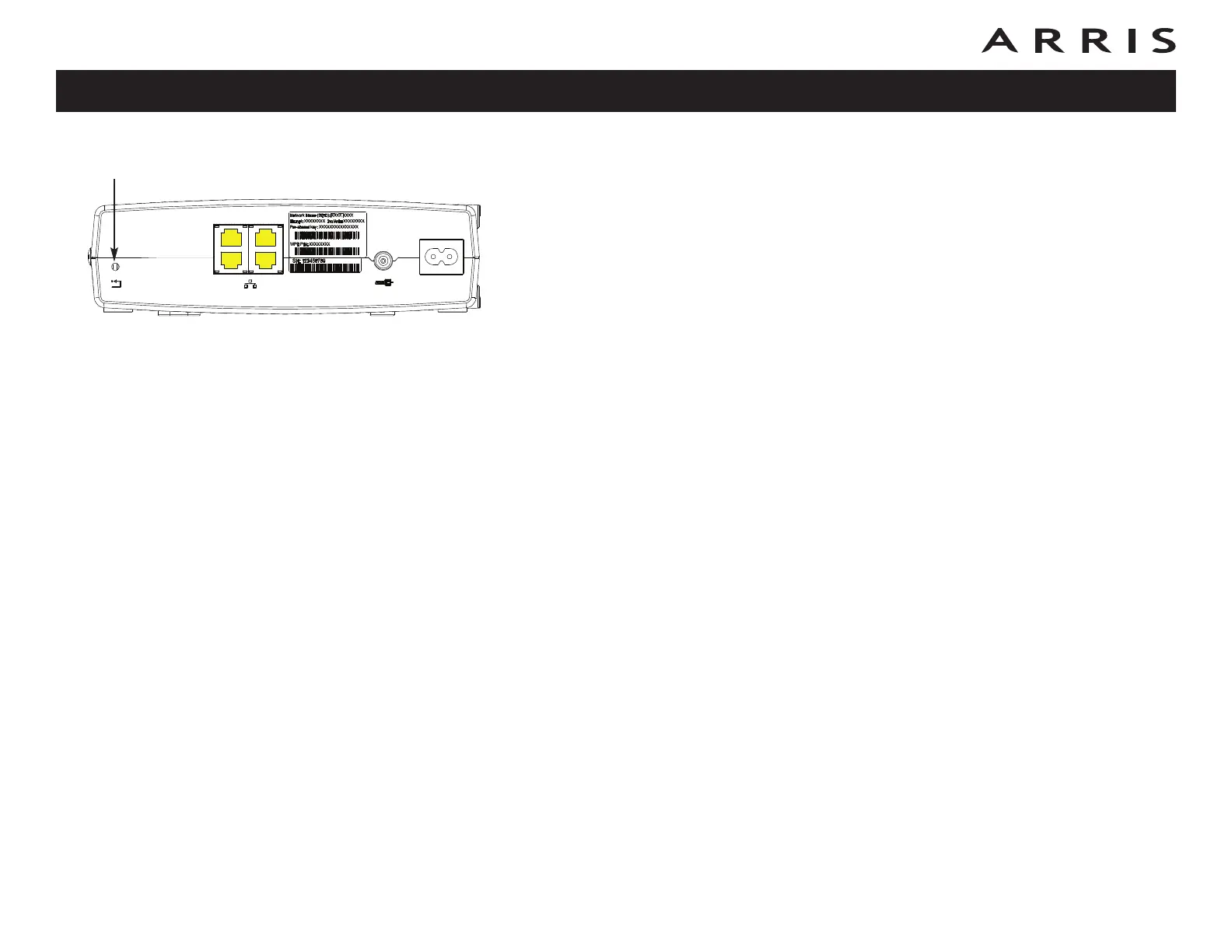
Use the Reset button, on the back of the Data Gateway, to reset the modem and
perform initialization as if you power cycled the unit. You may need to reset the
Data Gateway if you are having problems connecting to the Internet. Using this
button will be rare.
Use a pointed non-metallic object to press this button. The photo to the left shows
the location of the Reset button. The Reset button is recessed to prevent acci-
dental resets.
The diagram on the left shows the location of the reset button.
Resetting the Router to Factory Defaults
To reset the router to factory defaults, press and hold the Reset but ton on the back
of the Data Gateway for more than fifteen seconds. This restores the wireless setup
configuration and router configuration parameters to the factory defaults. You may
need to do this if a misconfiguration has locked out all access.
Touchstone DG860 Data Gateway User’s Guide
Safety
Getting
Started Installation
Ethernet
Configuration Usage Troubleshooting Glossary
40
Reset
Ethernet
10/100/1000
Cable
2
1
4
3
Reset
Button














 To Next Page