AT32 Work Bench User Manual
2024.03.05 16 Ver 1.04
4.2.5 DMA mode and configuration
Click on “DMA” under “Peripherals” to open the DMA Mode and Configuration window to configure
available general-purpose DMA controller. DMA interface supports data transfer between memory
and peripherals and memory-to-memory data transfer when CPU is running.
Some peripherals have a dedicated DMA controller, which by default can be configured in the “DMA
Mode and Configuration” window.
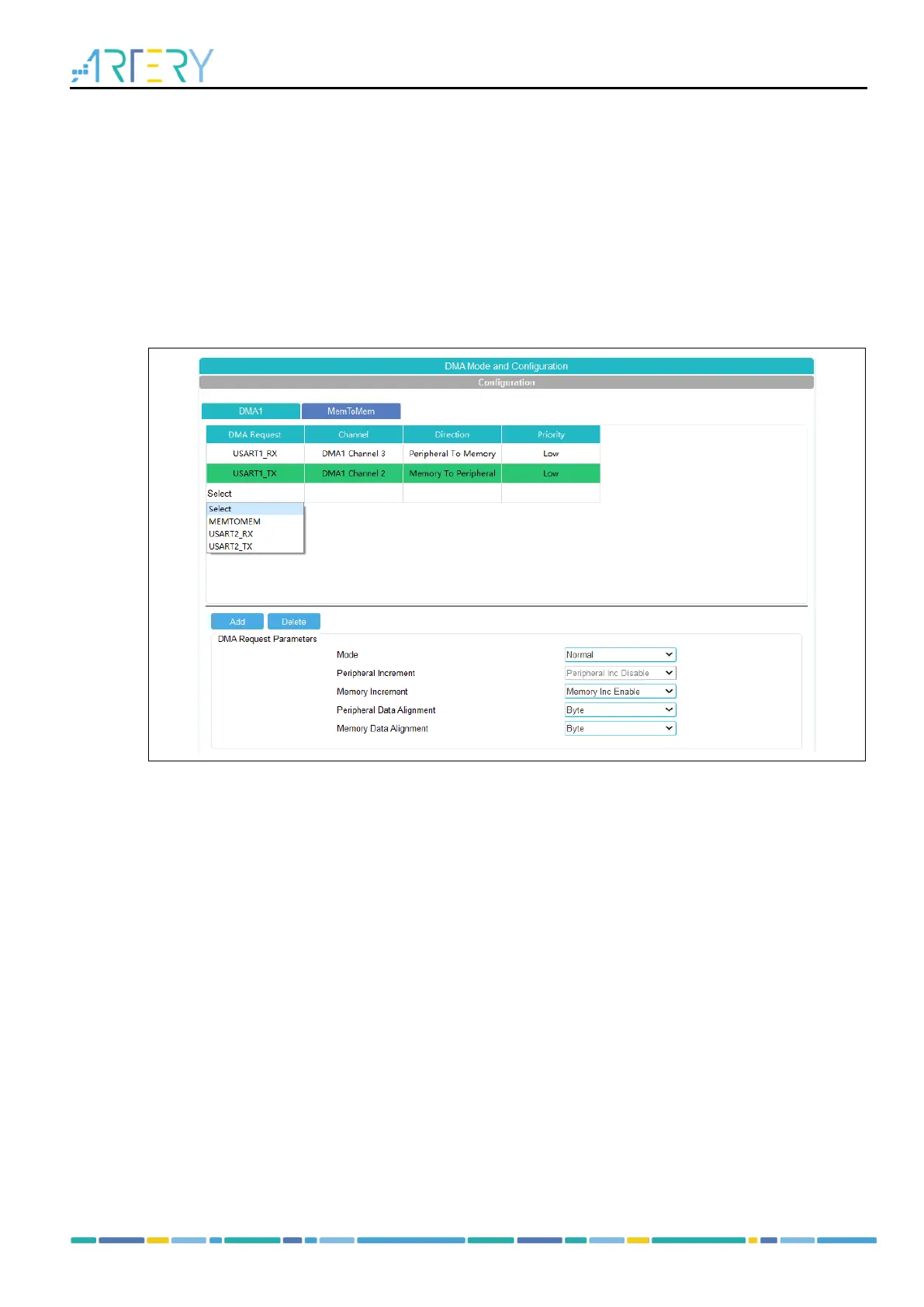
Click on “Add” to add a new line in the last row of the table in “Configuration” window. Optional DMA
requests are listed in the combo box.
Figure 17. DMA mode and configuration
DMA request is used to reserve a data flow for data transfer between peripherals and memory. The
priority determines which flow to select for the next DMA transfer.
Users can configure DMA in the “DMA Mode and Configuration” window.
Direction
Peripheral-to-memory, memory-to-peripheral, and memory-to-memory transfers.
Priority
There are four levels, including very high priority, high priority, medium priority and low priority. If the
two channels have the same priority level, then the channel with lower number will get priority over
the one with higher number. For example, channel 1 has priority over channel 2
Mode
There are normal mode, circular mode and peripheral flow control mode.
Peripheral increment
Configure peripheral increment type and enable peripheral increment. Once enabled, the peripheral
address increments after each transfer.
Memory increment
Configure memory increment type and enable memory increment. Once enabled, the memory
address increments after each transfer.
Peripheral data alignment
Configure peripheral data bit width (byte: 8-bit, half-word: 16-bit, word: 32-bit).



 To Next Page