AT32 Work Bench User Manual
2024.03.05 8 Ver 1.04
4 Project configuration
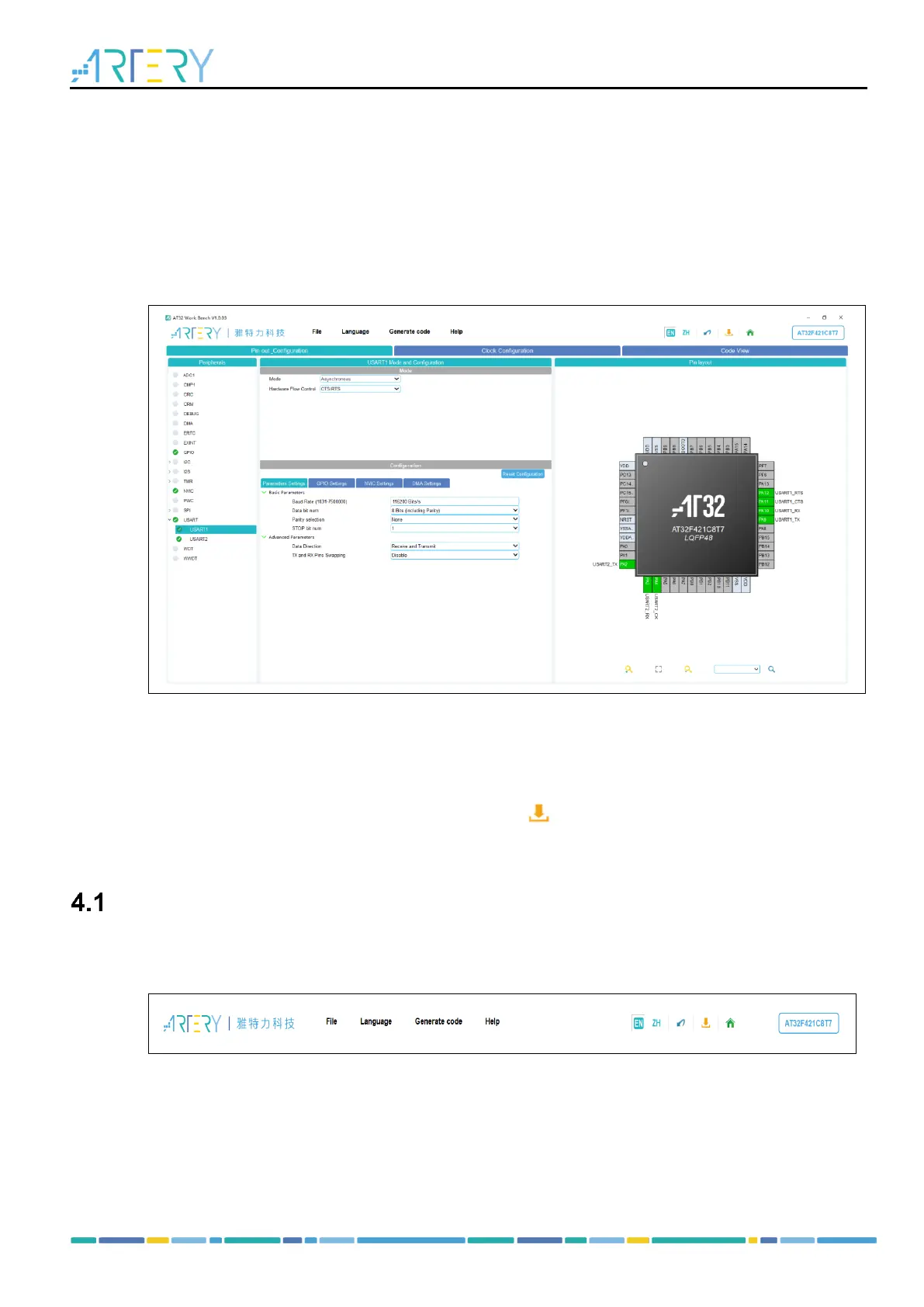
After a new project is created or a saved file is loaded, the project configuration page opens. It
contains a menu bar, a toolbar, and the following set of views:
Pin out configuration
Clock configuration
Code view
Figure 4. Project configuration
Pin out configuration: Users can configure peripheral pins and relevant parameters.
Clock configuration: Users can configure MCU clock as needed.
Code view: Users can view the code automatically generated according to the current
configuration.
Click on the “Generate code” in the menu bar or the icon in the toolbar to generate the
corresponding user code and project.
Menu bar and toolbar
Figure 5 shows the menu bar and toolbar.
Figure 5. Menu bar and toolbar
4.1.1 Menu bar
File



 To Next Page