AT32 Work Bench User Manual
2024.03.05 24 Ver 1.04
Package manager
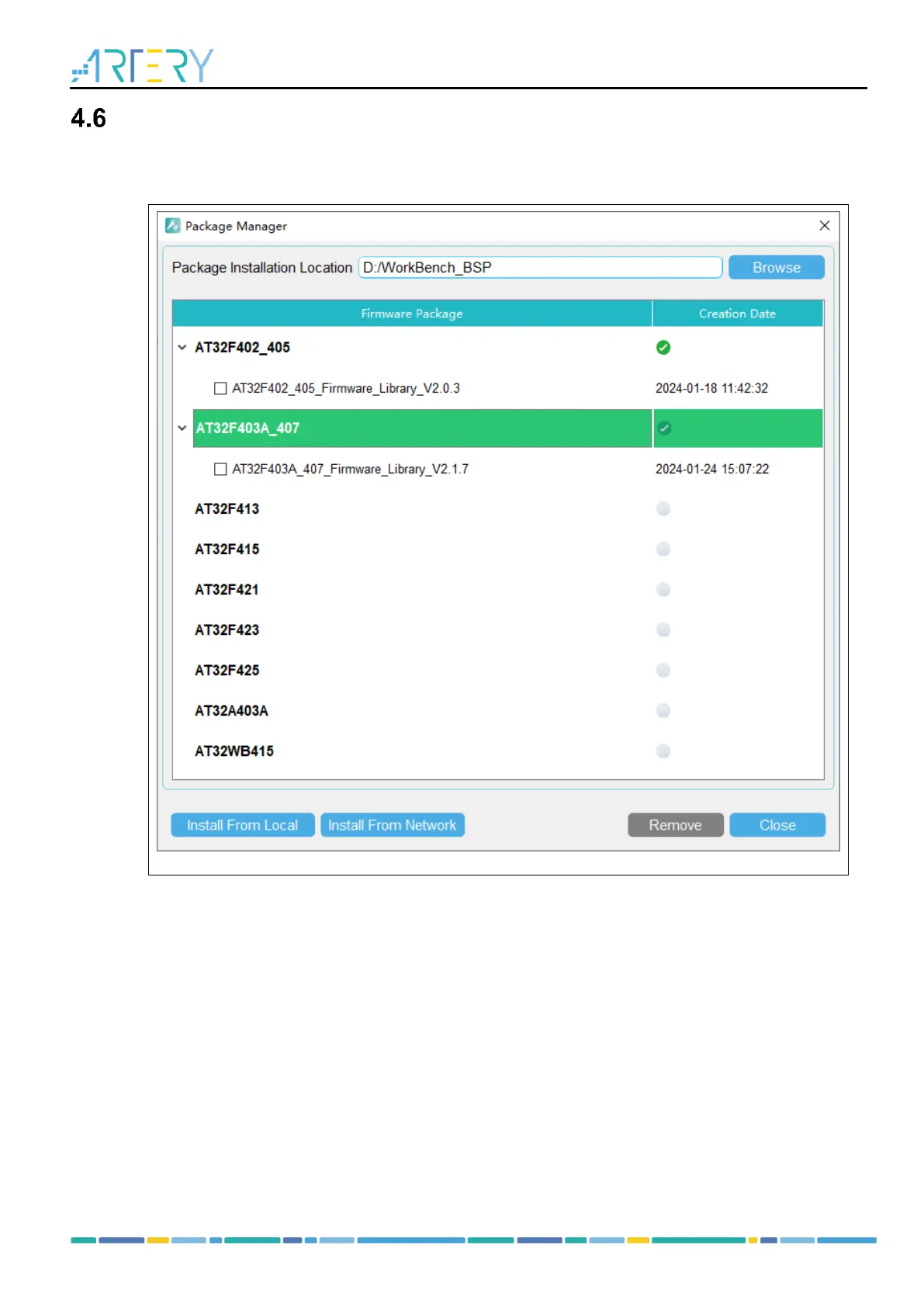
Click on “File” – “Package Manager”, and the Package Manager window pops up, as shown below.
Figure 24. Package Manager window
Package installation location
Select and confirm the package installation path. The software scans for the installed package at
this location each time it starts up.
The installed package is stored in the “WK_AT32xxx” directory, such as WK_AT32F425.
Note: Users need to select the installation location after software update.
Install from local
Install the firmware package that has been downloaded. This local package (*.ZIP ) should be
selected manually.
Install from Network
Download firmware package from Network and then set up automatically.



 To Next Page