AT32 Work Bench User Manual
2024.03.05 17 Ver 1.04
Memory data alignment
Configure memory data bit width (byte: 8-bit, half-word: 16-bit, word: 32-bit).
4.2.6 NVIC mode and configuration
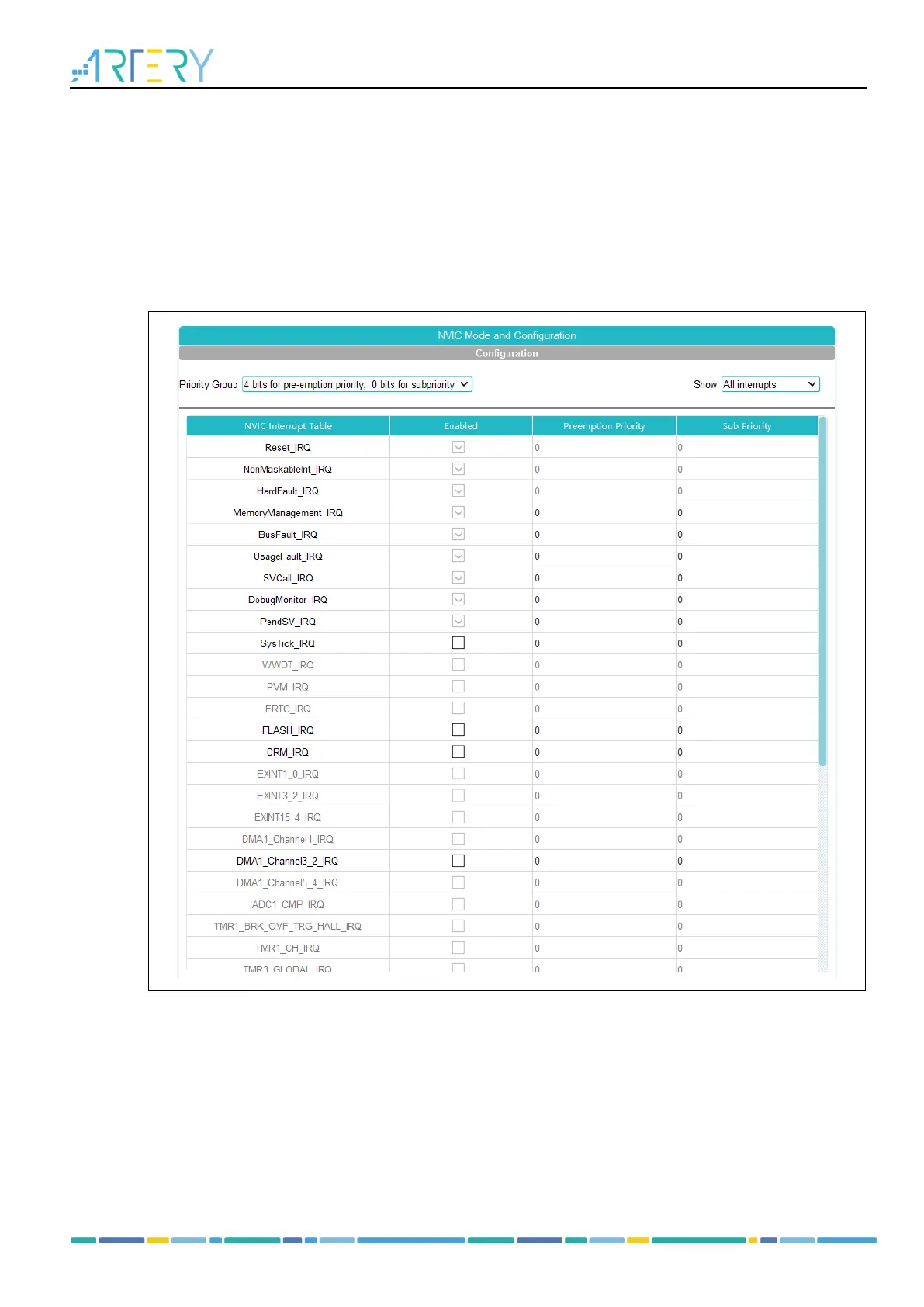
Click on “NVIC” under “Peripherals” to open the NVIC Mode and Configuration window.
Click on the “Show” drop-down box to select to display all interrupts, available interrupts and
enabled interrupts.
Figure 18. NVIC mode and configuration
As shown in Figure 18, interrupts in gray are not configurable and the corresponding peripheral
mode needs to be enabled; interrupts with the “Enabled” check box ticked and cannot be modified
are system interrupts, and these interrupts cannot be disabled.
NVIC configuration includes “Priority Group”, “Enabled” (check box) and interrupt priority
(preemption priority and sub priority).
1. Priority Group
The priority group has multiple bits that can be used to define the NVIC priority. These bits are
divided into two priority groups, corresponding to two priority types, i.e., preemption priority and
sub priority. Priority bits indicate the number of priorities that can be configured, for example, 0:



 To Next Page