10 ARTURIA – KeyStep – USER’S MANUAL
2 KEYSTEP OVERVIEW
2.1 Making the connections
There are quite a few ways to connect KeyStep with other types of equipment, from
vintage to modern. Below are some examples of potential setups:
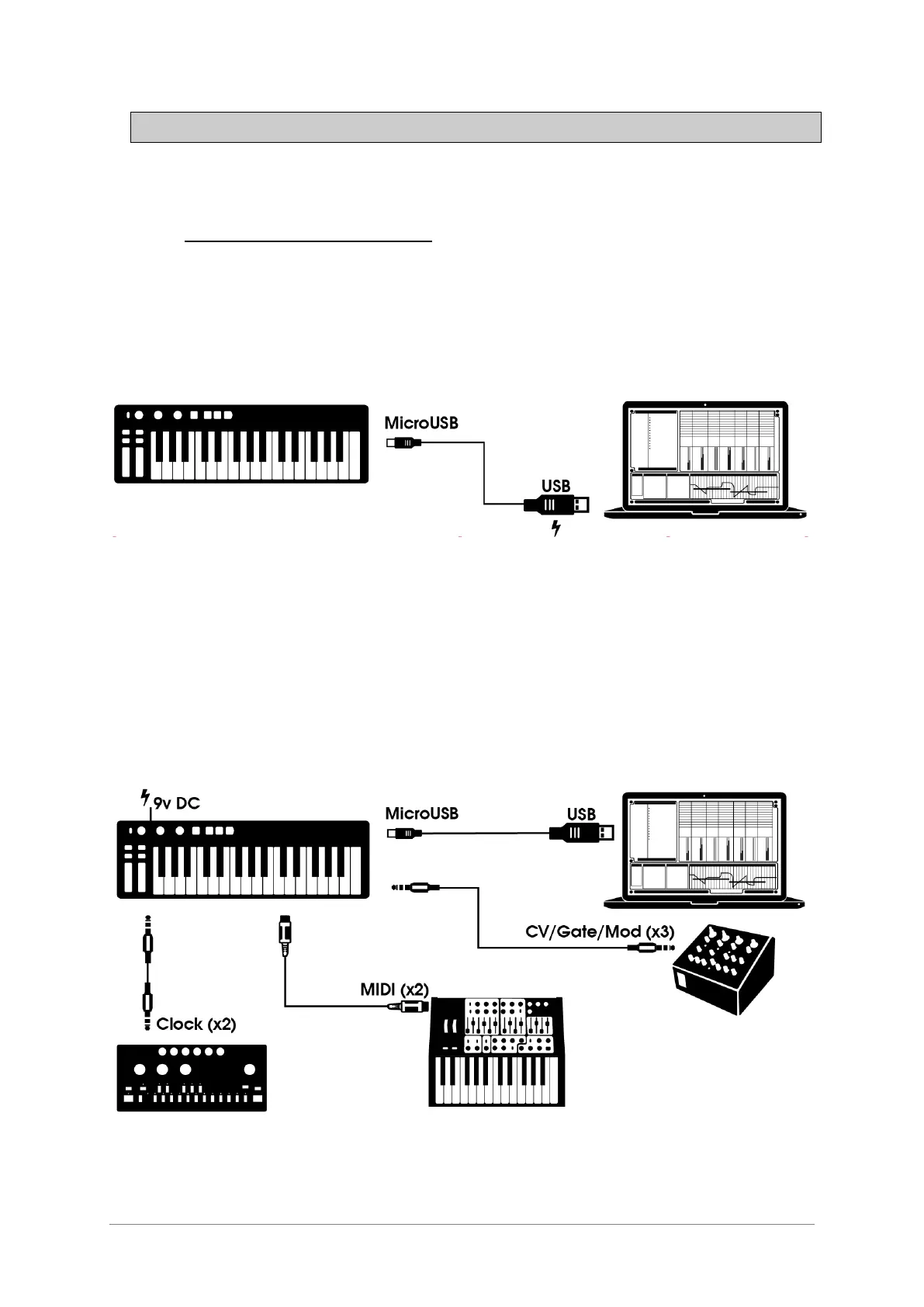
2.1.1 …with a Computer
KeyStep is a USB class-compliant controller, so at its most basic level it can be
connected to any computer with a USB port and used as an input device for various
applications. The included MIDI Control Center software lets you choose which MIDI
messages will be sent by the mod strip and pedal, and also enables you to specify the
global KeyStep parameters.
However, KeyStep can also be used without a computer attached! In this case, simply
use a 9V DC power supply (not included) or a standard USB mobile phone charger to
power the unit. Then connect everything else as shown in the following diagrams.
2.1.2 …with external devices
As you can see, KeyStep can be at the center of some amazing systems.













 To Next Page