EasyManua.ls Logo

Arturia Keystep - MIDI Controller Settings

Arturia Keystep
71 pages
Print Icon
To Next Page IconTo Next Page
To Previous Page IconTo Previous Page
Loading...
ARTURIA KeyStep USER’S MANUAL 61
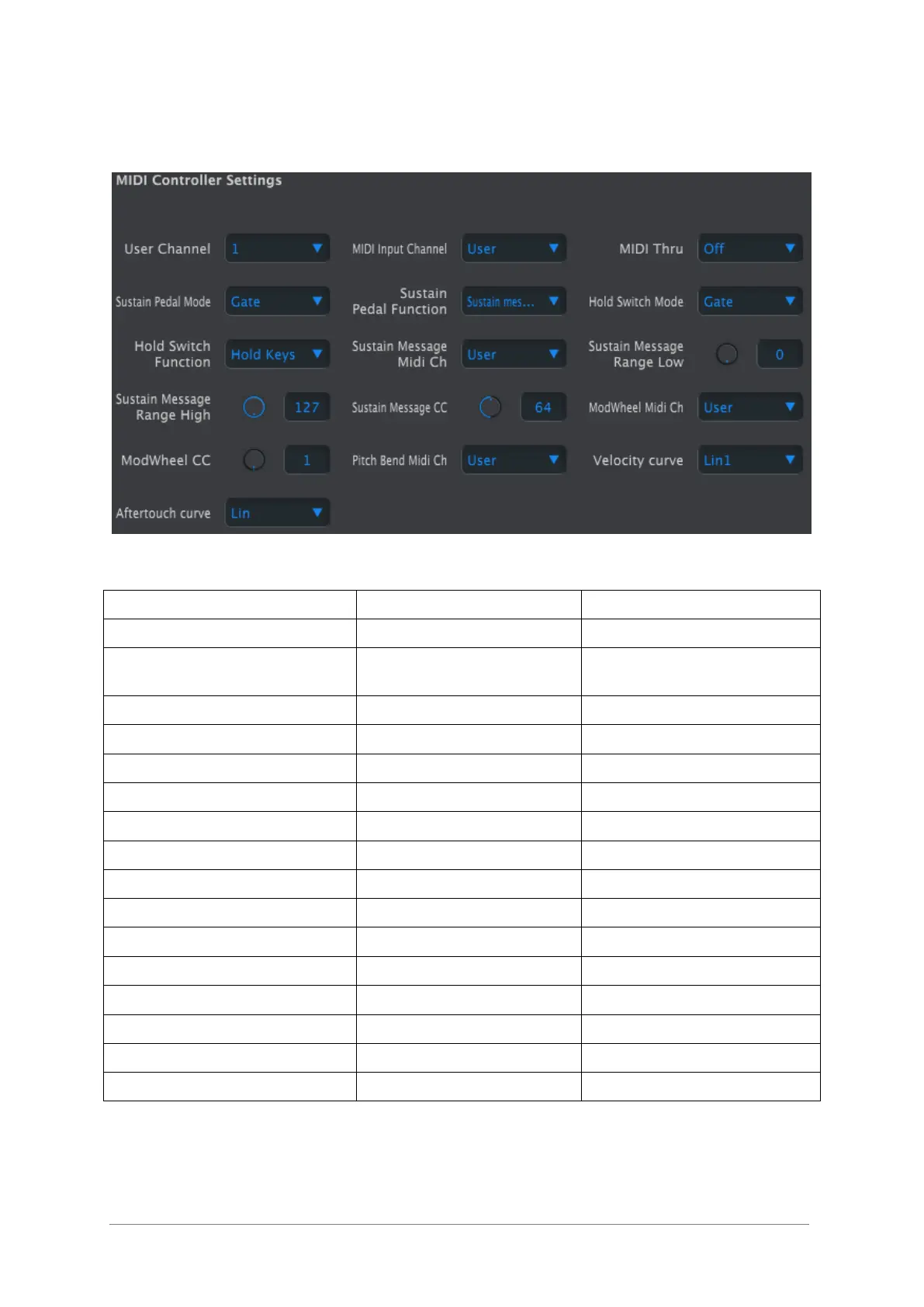
10.9.2 MIDI Controller settings
Here’s a quick reference chart for those parameters:
Parameter
Range/Values
Description/Function
User Channel
1-16
Keyboard MIDI Channel
MIDI Input Channel
1-16, User
USB/MIDI CV channel when
Seq/Arp are stopped
MIDI Thru
Off, On
Patch MIDI In to Out
Sustain Pedal Mode
Gate, Toggle
Momentary or Latching
Sustain Pedal Function
Hold, Sustain, Both
Act as Hold button or not
Hold Switch Mode
Gate, Toggle
Momentary or Latching
Hold Switch Function
Hold, Sustain, Both
Act as Sus. Pedal or not
Sustain Message MIDI Ch
1-16, User
Fixed/follow User channel
Sustain Message Range Low
0-127
Set minimum range
Sustain Message Range High
0-127
Set maximum range
Sustain Message CC
0-127
Assign MIDI CC #
Mod strip MIDI Ch
1-16, User
Fixed/follow User channel
Mod strip CC
0-127
Assign MIDI CC #
Pitch Bend MIDI Ch
1-16, User
Fixed/follow User channel
Velocity curve
Log, Lin, AntiLog
Personalized response
Aftertouch curve
Log, Lin, AntiLog
Personalized response
Now let’s go through the parameters one at a time.

Table of Contents

Related product manuals