EasyManua.ls Logo

Arturia Keystep - Restart Seq; Arp from Beginning; Shift Function Chart

Arturia Keystep
71 pages
Print Icon
To Next Page IconTo Next Page
To Previous Page IconTo Previous Page
Loading...
ARTURIA KeyStep USER’S MANUAL 25
Turn the Time Div encoder until you reach the proper value
Release the Shift button and the new Time Division will take effect.
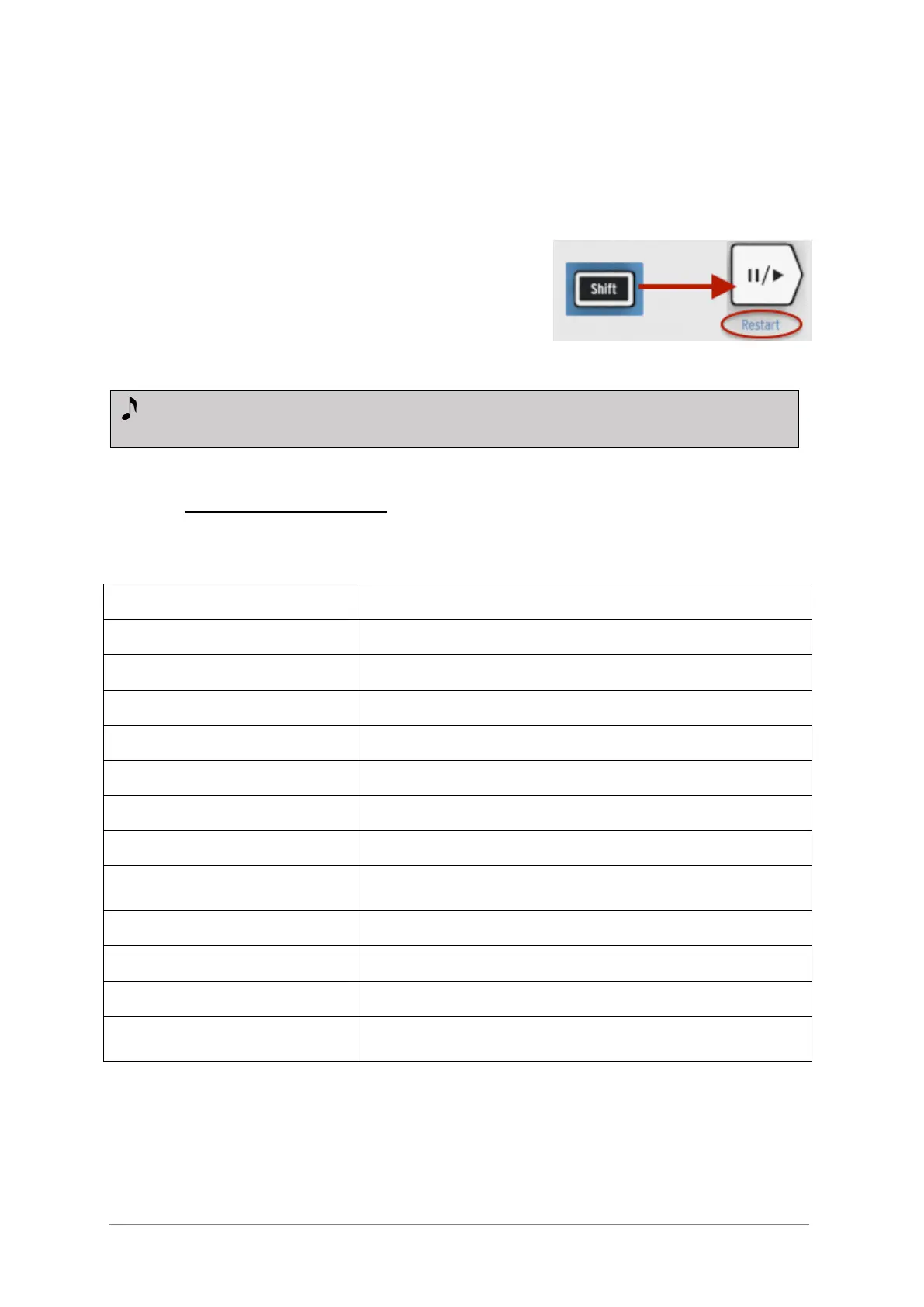
4.3.6 Restart Seq / Arp from beginning
It’s possible to repeat the first half of a sequence or
arpeggio manually, or perhaps repeat the first few
notes several times, etc., as a spontaneous
performance option.
To restart a sequence or an arpeggio pattern from its
beginning, hold the Shift button and press the
Play/Pause button.
4.4 Shift function chart
Here’s a list of all Shift button features:

Combination
Effect
Shift + Key (1 to 16)
Select user channel and reset Kbd Play Midi channel
Shift + Key (17 to 21)
Select a global gate value
Shift + Key (22 to 32)
Select a swing value
Shift + Oct Minus
Enter Transpose mode
Shift + Oct Plus
Enter Kbd Play mode
Shift + Oct Plus + Key
Selects Midi channel for Kbd play mode
Shift + HOLD
Enter/Exit chord mode
Shift + HOLD + Keys
Enter new notes for the chord mode (Hold button blinks
quickly)
Shift + REC
Enter Record-append mode
Shift + STOP
Clear last step of the sequence (only in Seq mode)
Shift + Play
Restart the playback to the first step of the Seq/Arp
Shift + Encoder
The new position of the encoder will become active
when the Shift button is released
We will cover the Shift functions that are used during sequence creation in the
next chapter.

Table of Contents

Related product manuals