EasyManua.ls Logo

Arturia Keystep - Transport Settings

Arturia Keystep
71 pages
Print Icon
To Next Page IconTo Next Page
To Previous Page IconTo Previous Page
Loading...
ARTURIA KeyStep USER’S MANUAL 69
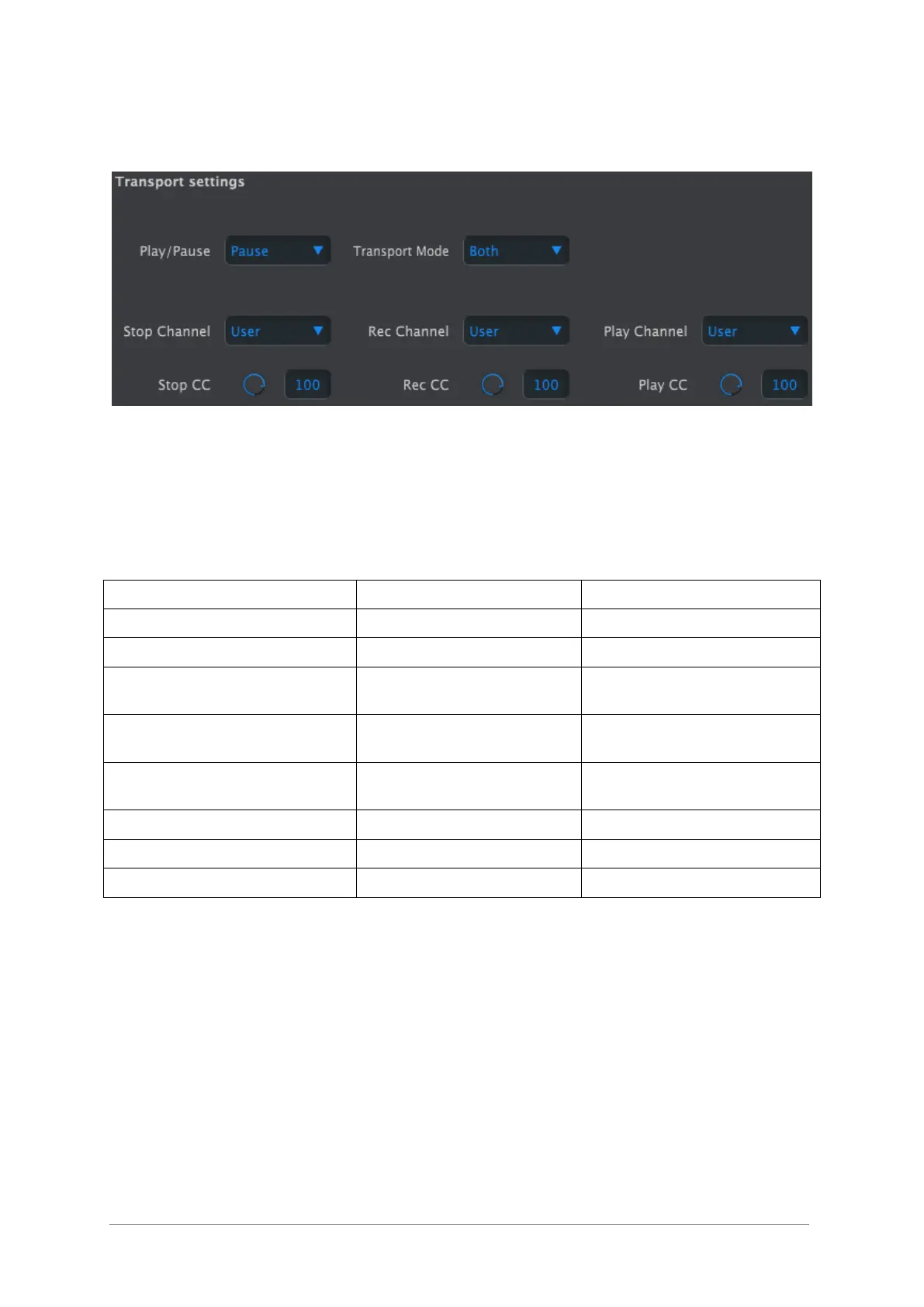
10.9.5 Transport settings
First a quick summary of the Transport settings, then the chart:
Play/Pause: the alternate setting is “Reset”. This would allow you to perform ‘stutter
edits’ on your sequences.
Stop/Record/Play: You can define the MIDI channel and CC number for each of the three
main Transport commands independently. All three must transmit the same type of MIDI
information, though: MIDI CC, MMC, or both.

Parameter
Range/Values
Description/Function
Play/Pause
Pause, Reset
Pause or ‘stutter’ sequence
Transport Mode
MIDI CC, MMC, Both
Covers most devices
Stop Channel
1-16, user
Fixed channel or linked to
keyboard channel
Record Channel
1-16, user
Fixed channel or linked to
keyboard channel
Play Channel
1-16, user
Fixed channel or linked to
keyboard channel
Stop CC
0-127
Full MIDI range
Rec CC
0-127
Full MIDI range
Play CC
0-127
Full MIDI range

Table of Contents

Related product manuals