Aruba Mobility Master Hardware Appliance | Installation Guide Installation | 17
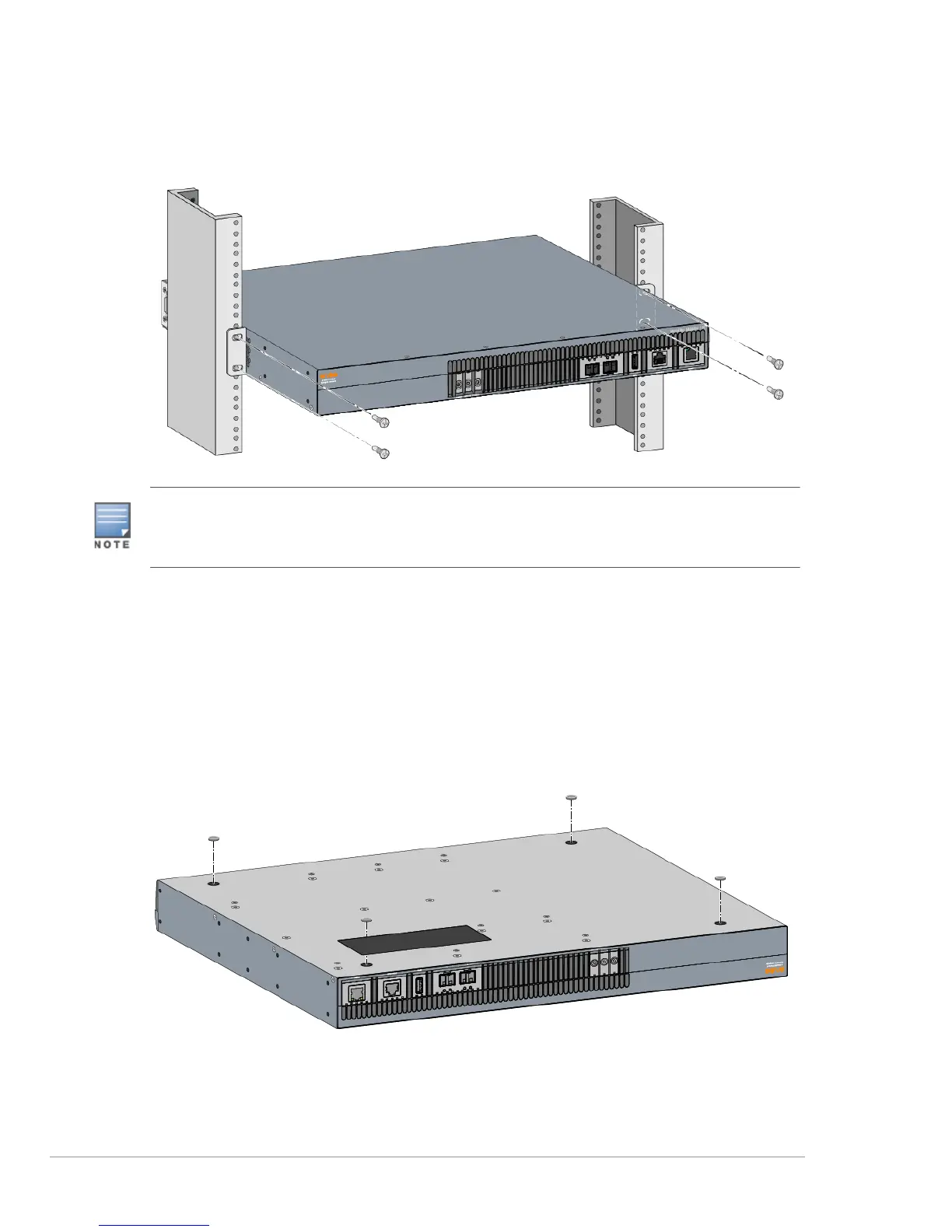
Figure 8 Rack Mount Installation- Mid
Table or Shelf Installation
Required Tools and Equipment
Rubber Feet (included in the kit)
Installation Steps
1. Attach the rubber feet to the bottom of the appliance(see Figure 9).
Figure 9 Attaching Rubber Feet
2. Place the appliance in the location you have chosen.
Leave a minimum of 10 cm (4 inches) of space on the left and right side of the appliance for proper air flow
and ventilation.
Leave additional space in the front and the back of the appliance to access network cables, LED status
indicators, and power cord.



 To Next Page