Aruba Mobility Master Hardware Appliance | Installation Guide Installation | 21
Connecting an SFP Module
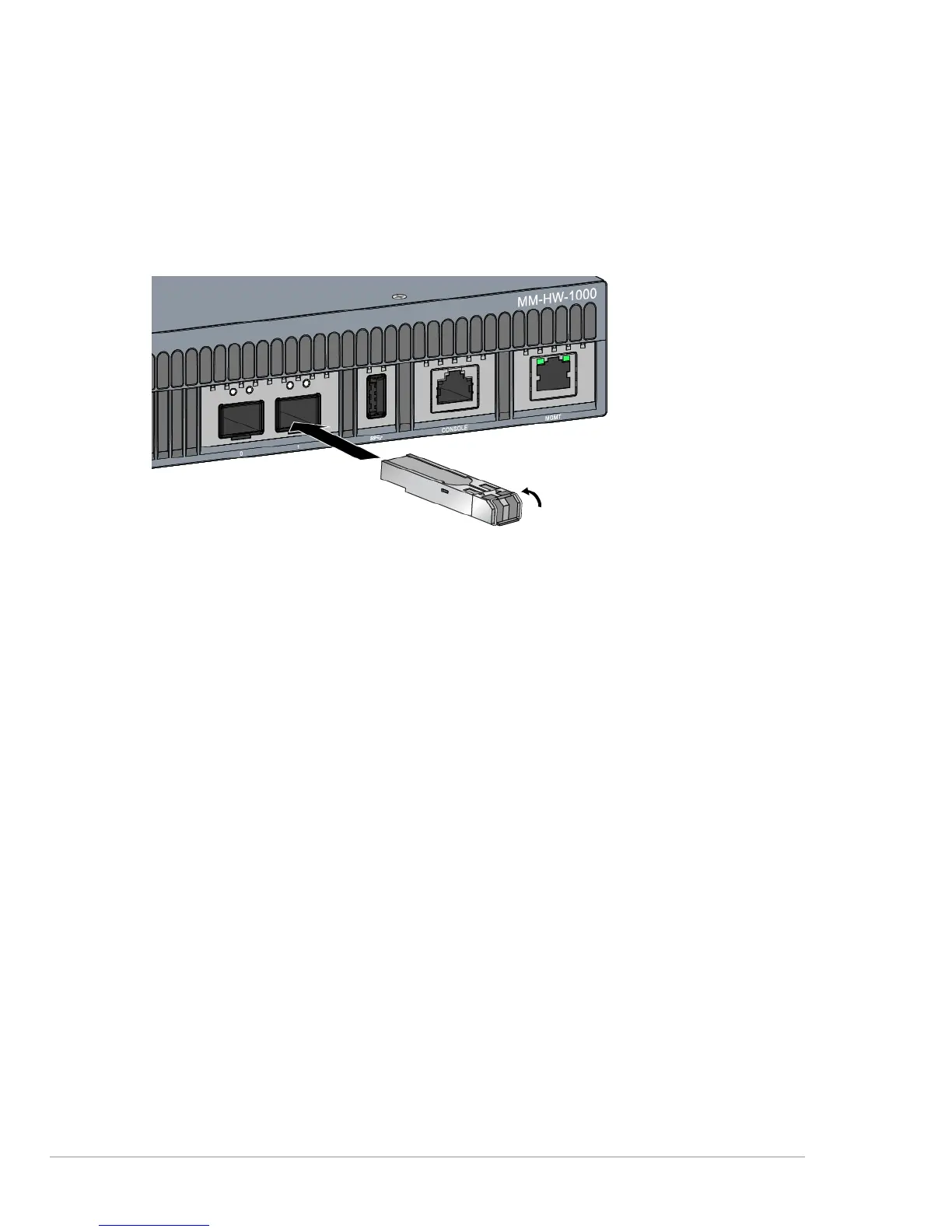
To connect an SFP module into the Mobility Master hardware appliance, slide the SFP module, top
side facing upward, into a 10GBase-X (SFP+) port until a connection is made and an audible click is
heard (see Figure 13).
Figure 13 Installing an SFP
Removing an SFP Module
To remove an SFP module:
1. Open and release the latch on the SFP module.
2. Pull and remove the module from the port.
Connecting an LC Cable
To connect an LC cable into an SFP module:
1. Clean the LC fiber optic cable connector before inserting it into the SFP module.
2. Insert the LC fiber optic cable into the SFP module. Ensure that the latch on the cable faces the top
of the SFP module (see Figure 14).
3. Slide the cable into place until a connection is made and an audible click is heard.
Disconnecting an LC Cable
To disconnect an LC fiber optic cable from an SFP module, depress the transceiver handle to release
the latch on the cable and simultaneously pull the cable out of the port.



 To Next Page