18 |Installation Aruba Mobility Master Hardware Appliance | Installation Guide
Connecting and Disconnecting the AC Power Cord
Once you have installed the Mobility Master hardware appliance, you are ready to power On the
device. The Mobility Master hardware appliance is not equipped with an On/Off switch. The device
will power On when the AC power cord is connected to the power supply and an AC power outlet.
To connect the AC power cord to the Mobility Master hardware appliance:
1. Insert the coupler end of the AC power cord into the AC power connector on the power supply
module.
2. Secure the AC power cord using the cable retention holder attached on the power supply module.
The Mobility Master hardware appliance should now be receiving power.
To disconnect the AC power cord from the Mobility Master hardware appliance:
1. Loosen the cable retention holder that is securely holding the AC power cord.
2. Pull the AC power cord from the power supply module.
The Mobility Master hardware appliance is now turned Off.
Installing and Removing a Fan Module
The fan module is field-replaceable and hot-swappable. Hot-swapping allows you to replace the fan
module without having to power down the appliance.
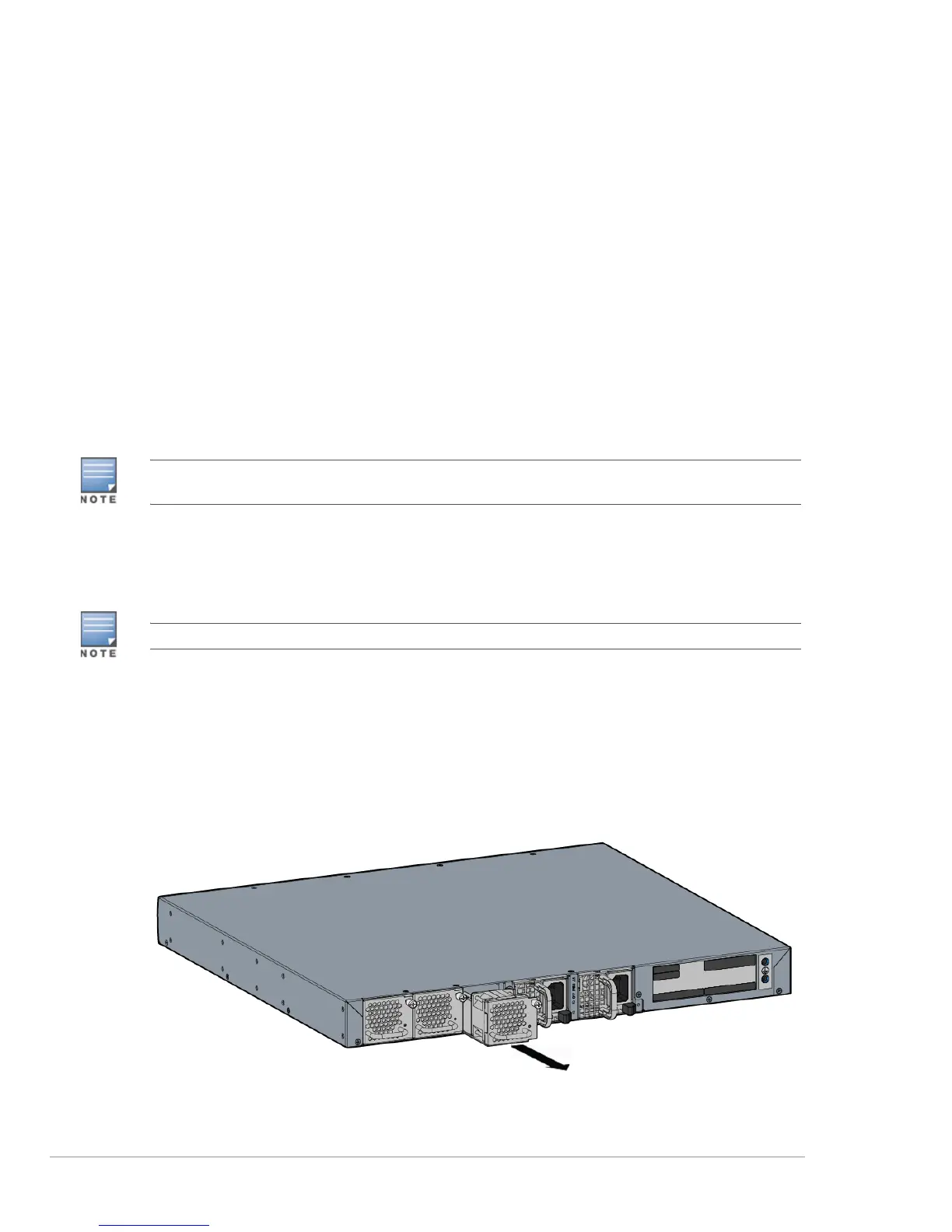
1. Remove the old fan module.
a. Using a Phillips Head screwdriver, turn the screws on the fan module counter-clockwise until
loose (they cannot be removed completely).
b. Use the fan module handle to pull the module out (see Figure 10).
Figure 10 Removing the Fan Module
If two power supply modules are installed in the appliance, disconnect AC power cord from both power supply
modules to turn off the appliance.
Use standard ESD precautions when installing or removing a fan module.



 To Next Page