18
automatically detect all networks within its communication range. The maximum
length of a SSID is 32 characters.
2. Key: A string used for connection authentication. Its length ranges from 0 to 63
characters(letters, numbers or a combination) or from 8 to 64 hex digits.
3. Click Apply.
2.3.2 WPS Setup
WPS (Wi-Fi Protected Setup) is a wireless security standard that allows the device
easily connect to a wireless network. You can configure the WPS function via the PIN
code or WPS button.
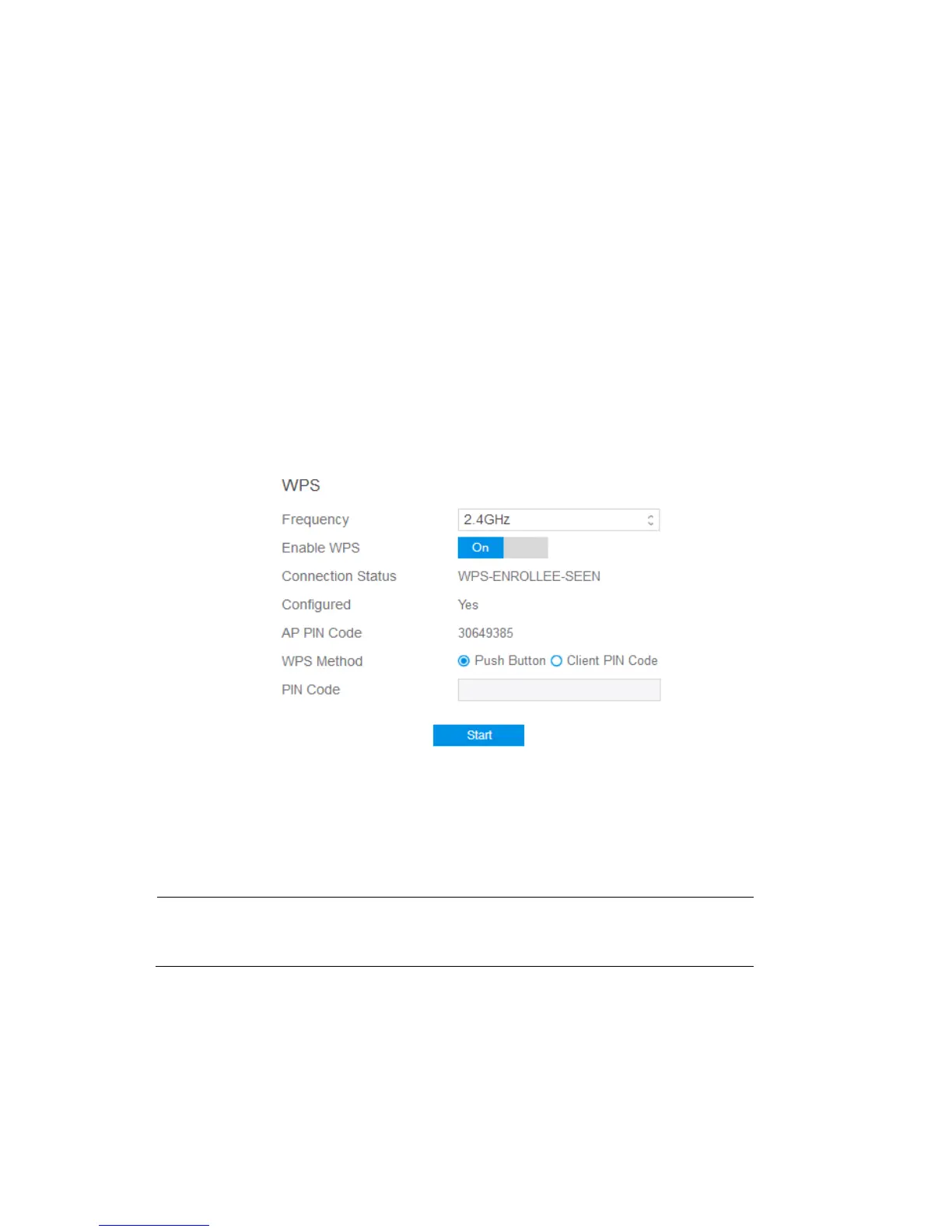
Steps to enable WPS(Wi-Fi Protected Setup):
1. From the navigation panel, go to Basic > My Router.
2. Frequency: Selecting operating band (2.4 GHz or 5 GHz) for WPS function.
Note: If WPS has been enabled and administrator intends to change the frequency,
please disable WPS first.
3. Enable WPS: Selecting [On] to run WPS, witch simplifies the process of
connecting any device to the wireless network



 To Next Page