53
2.4.1.3 Wireless Settings
2.4.1.3.1 Basic
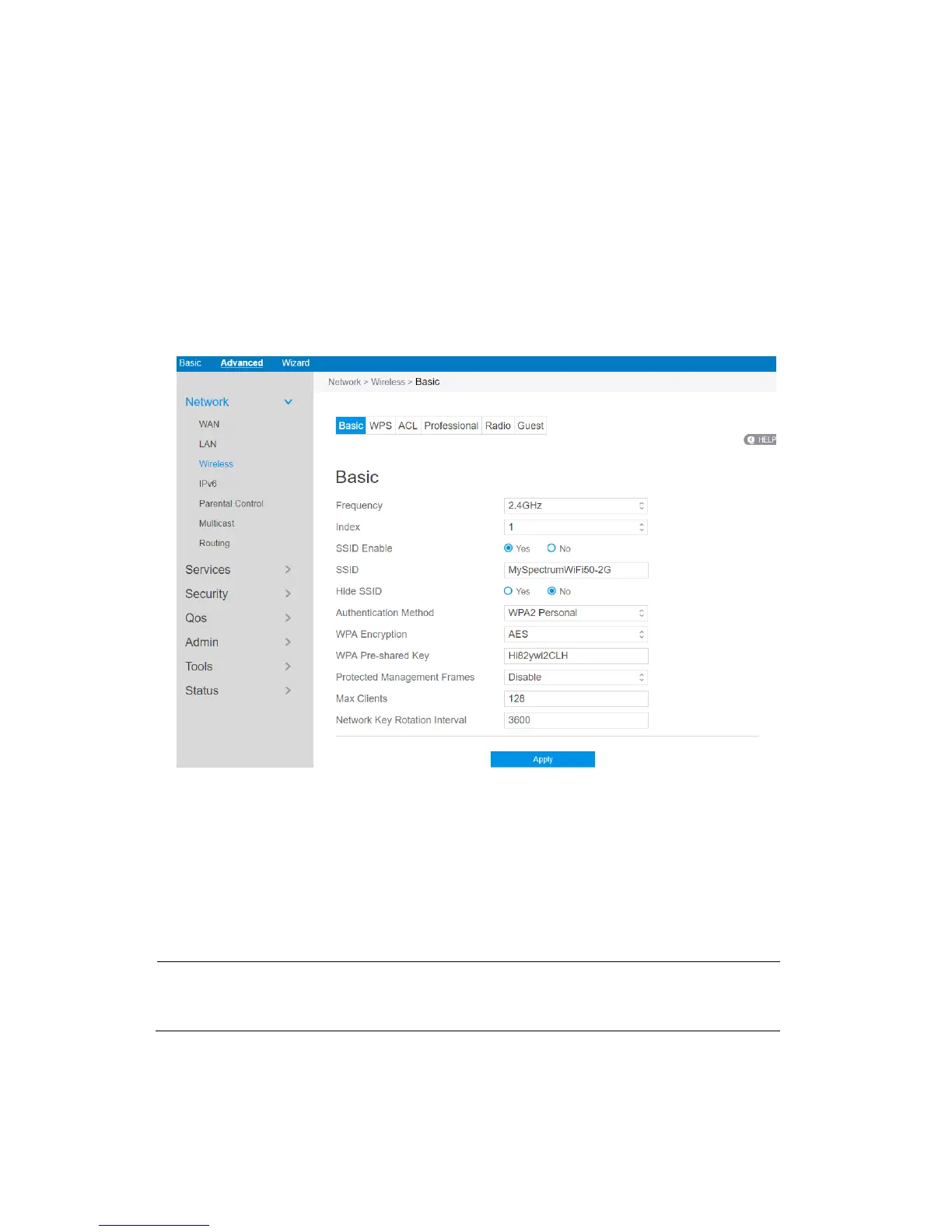
Basic settings allow you to set up the basic wireless settings.
Steps to set up the basic wireless settings:
1. From the navigation panel, go to Advanced > Network > Wireless > Basic
BasicBasic
Basic.
2. Frequency: Select the frequency band to configure.
3. Index: Indicates witch SSID is under setting.
Note: At present time, the router supports 8 SSIDs. So, router uses Index parameter to
indicate witch SSID is under configuration.
4. SSID Enable: Switch the SSID on/off (enable/disable).



 To Next Page