6
connection).
Red and Blue alternate blinking: Updating firmware
(or any scenario where device must not be restarted).
Red solid: Critical issues (hardware or otherwise).
LED on front of device will dim to low (65%) when there is no settings activity
or connectivity issues for 120 hours.
If any settings are changed or connectivity issues occur LEDs will return to
normal (100%) brightness.
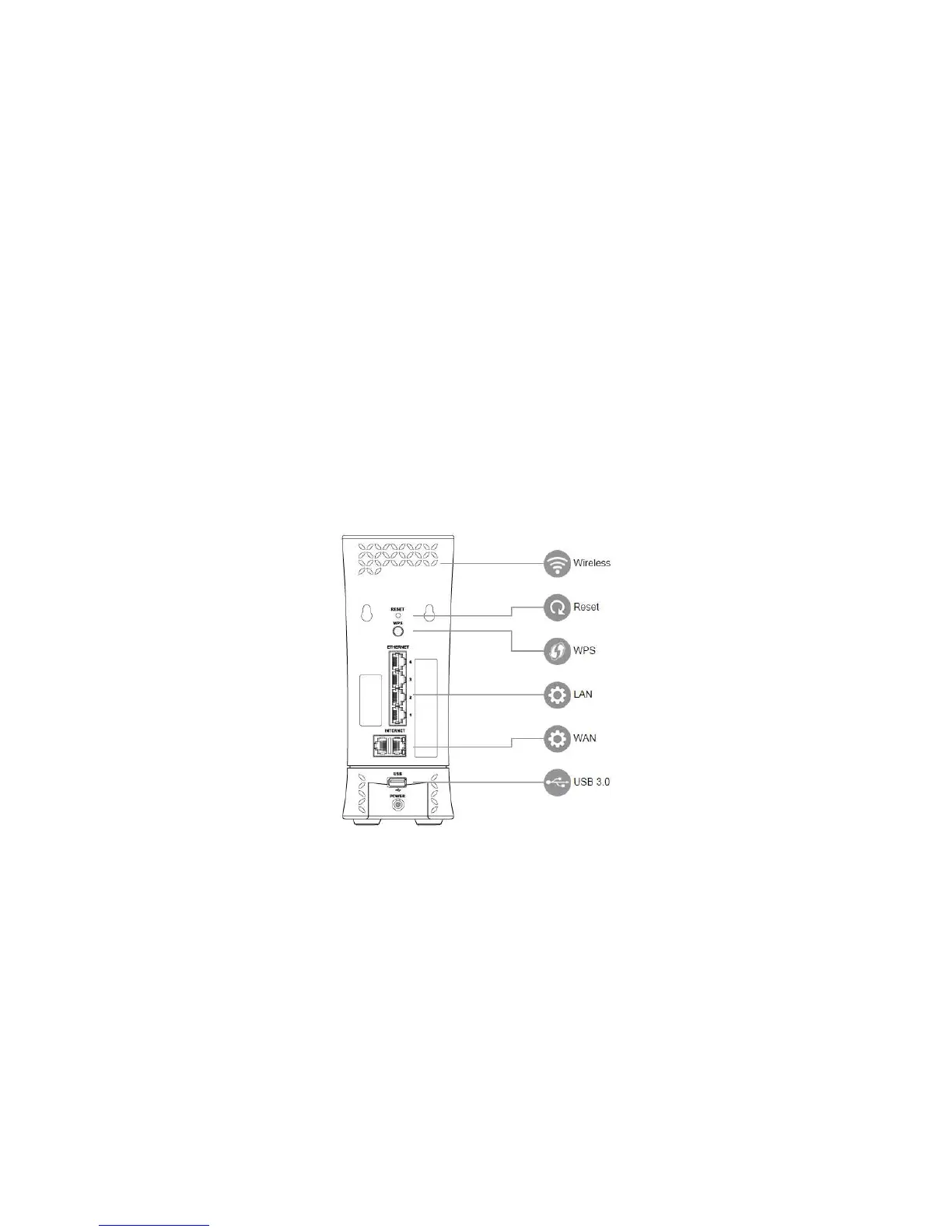
1.3.2 Rear Panel
There are slots and buttons shown in the following figure.
Figure 3. Router rear panel
Reset Button: Push the button and hold for over 15 seconds, then router will
restart automatically. During the process of restart, router will restore to factory
default settings.
WPS Button: Push the button more than 1 second to activate 2.4G and 5G WPS.
Reference WPS Setup on page 15.
LAN Port: Connect network cables for LAN (local area network) connections,
e.g. network switch, hub, personal computer or Internet devices.



 To Next Page