29
the upload button.
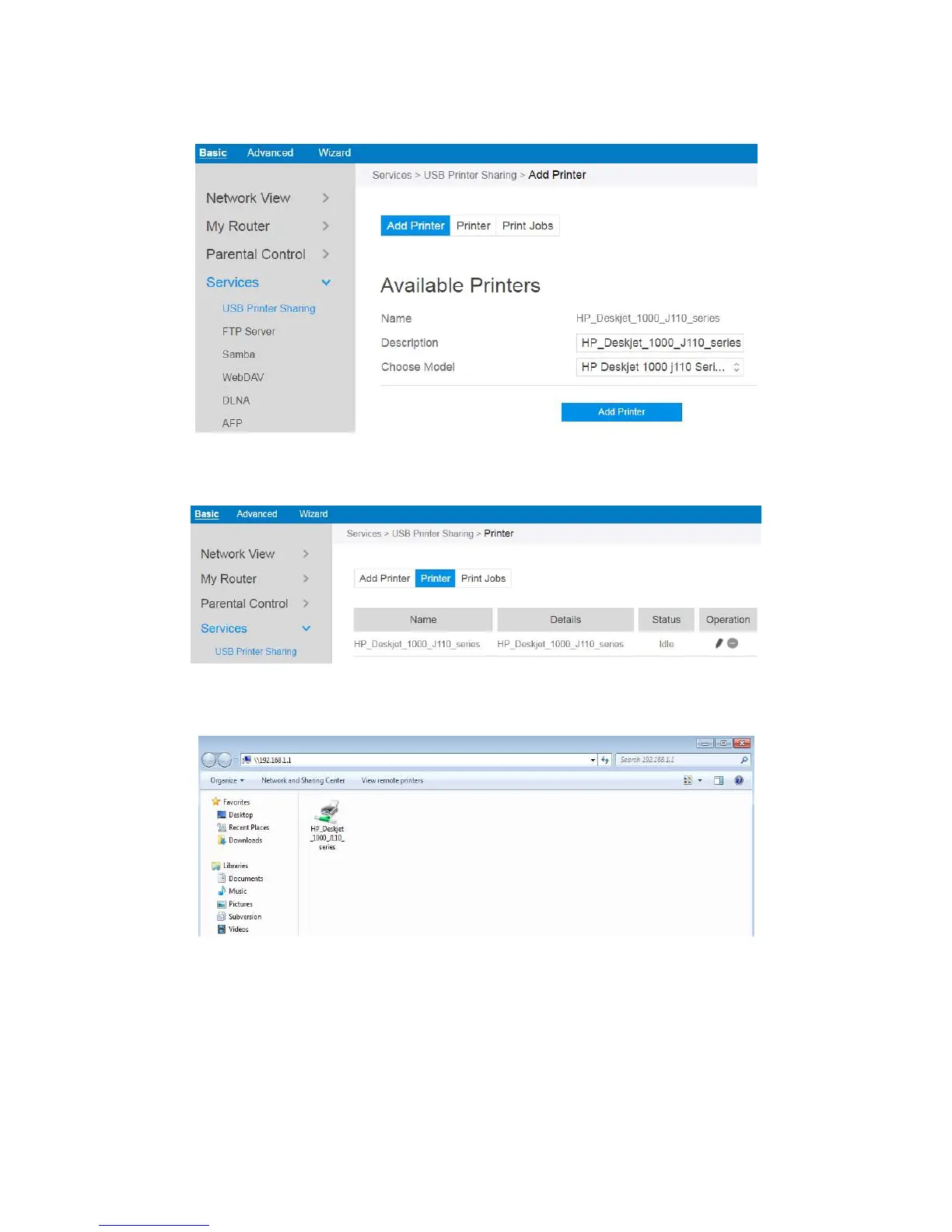
4. Printer tab displays whether your printer is operating correctly with the print
server, as below.
5. To check whether your printer is working correctly or not, input the LAN address
(192.168.1.1) for the printer in Windows Finder.
6. Double-click the printer icon and if you see the status interface as shown below,
the installation was successful. If an error message prompts that the driver
cannot be found, then return to Add Printer settings and select the correct
driver.



 To Next Page