47
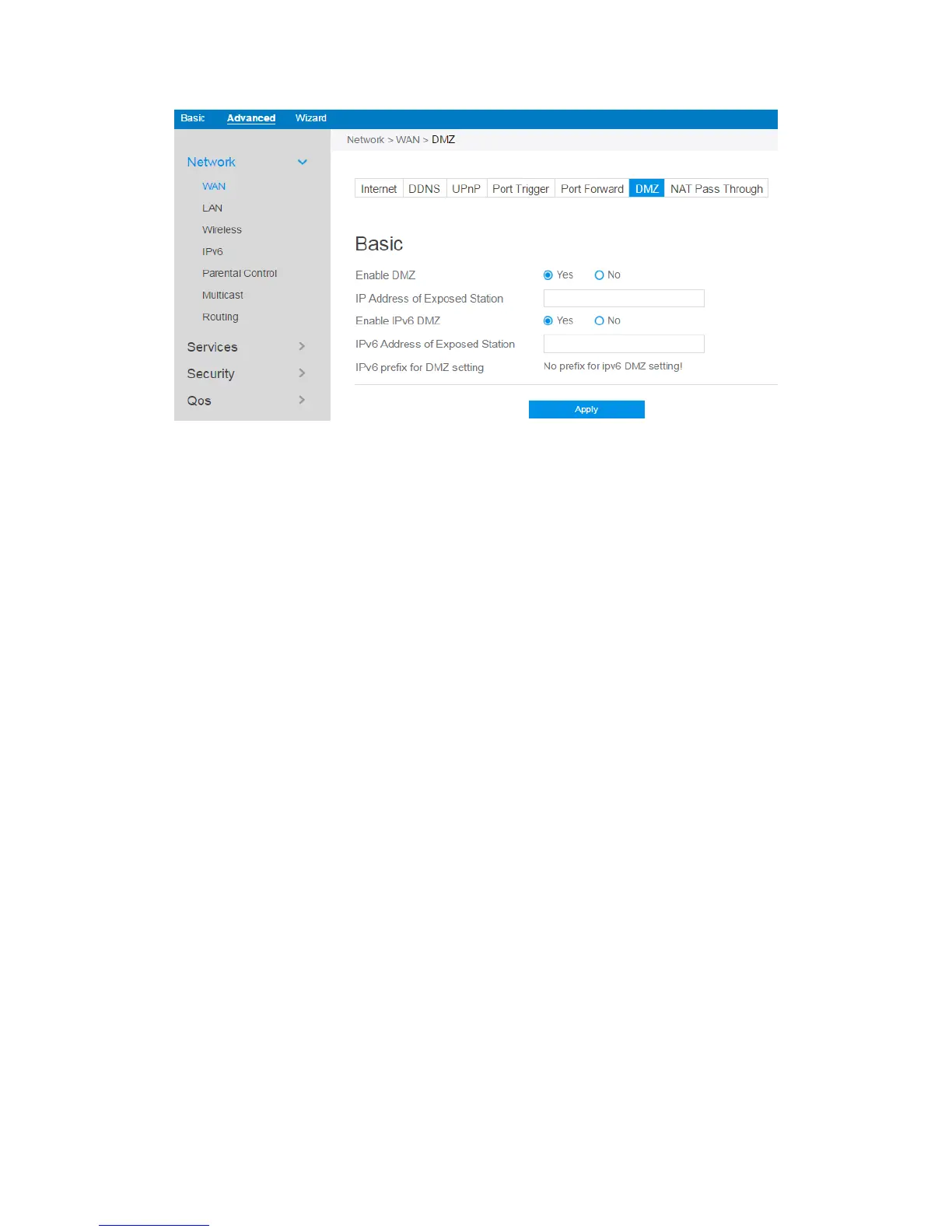
Steps to set up DMZ:
1. From the navigation panel, go to Advanced > Network > WAN > DMZ.
2. Enable DMZ: Check to enable or disable DMZ.
3. IP Address of Exposed Station: LAN IP address of a client who can provide
DMZ service. This makes the device with this IP address expose to Internet.
Make sure that the server client has a static IP address.
4. Enable IPv6 DMZ: Check to enable or disable IPv6 DMZ.
5. IPv6 Address of Exposed Station: The client's LAN IPv6 address that will
provide the DMZ service and be exposed on the Internet.
6. IPv6 prefix for DMZ setting: The IPv6 DMZ address must be in the range of
IPv6 prefix. Show it for user to set valid DMZ address.
7. Click Apply.



 To Next Page