69
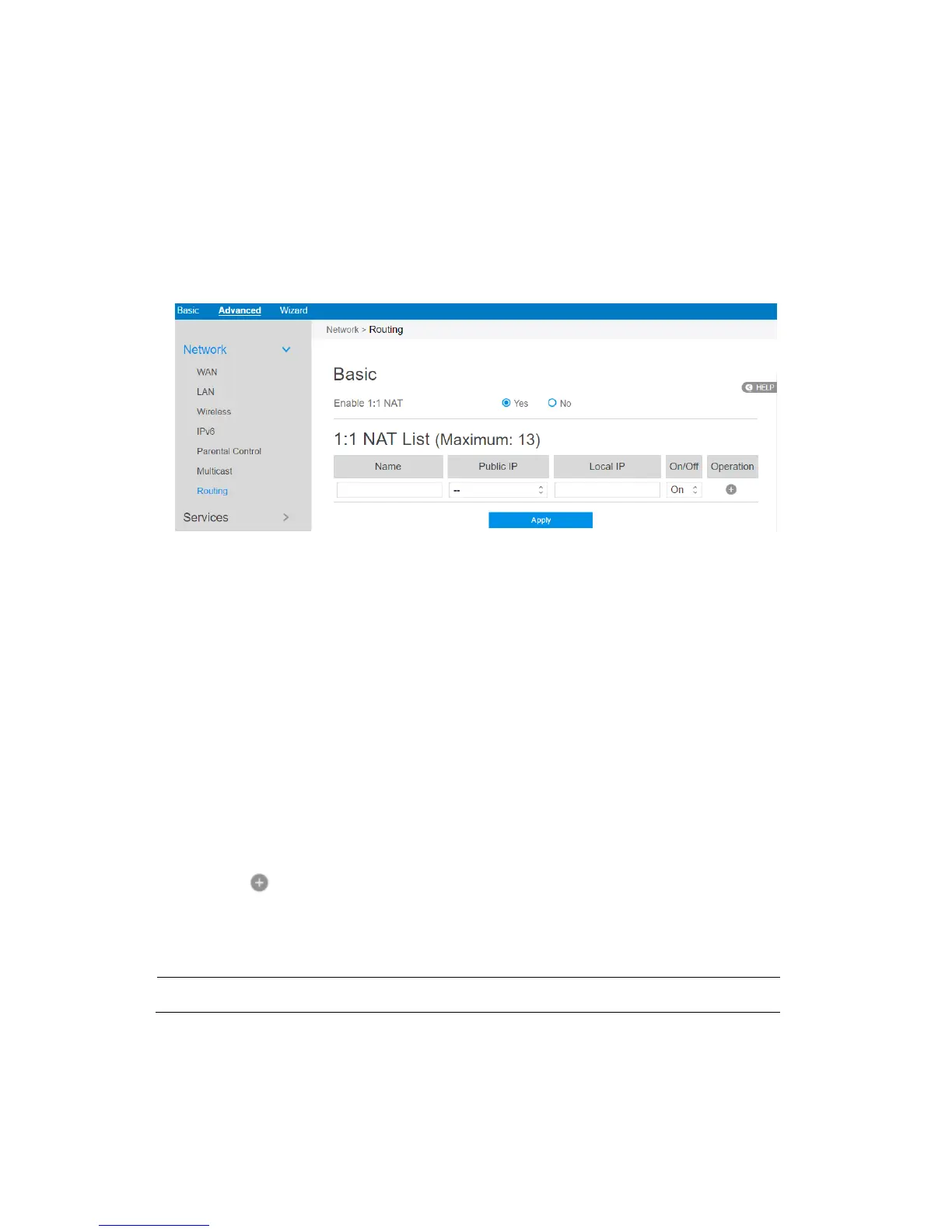
2.4.1.9 Routing
This module can be used to build a static NAT table between WAN IP address and
LAN IP address.
Steps to set up Routing:
1. From the navigation panel, go to Advanced > Network > Routing.
2. Enable 1:1 NAT: Check [Yes] to enable this function, check [No] to disable this
function.
3. Name: A brief description for application.
4. Public IP: IP address from Charter supplied public IP subnets.
5. Local IP: Key in the client’s LAN IP address, not limited to the subnet
for the
directly connected LAN interface
6. Click On/Off to enable/disable Internet access to FTP service.
7. Click to add this item to the 1:1 NAT List.
8. Click Apply.
NOTE: This module only works only when WAN port is in static mode!



 To Next Page