77
that will be shared by the DLNA server.
6. Media Server Directory: The folders that will be shared by the DLNA.
7. Shared Content Type: The media type that will be shared by the DLNA
server: audio, image, video.
8. Safely Remove Disk: Click to safely remove the disk. When the USB disk is
ejected successfully, the USB status shows 'No device '.
9. Click Apply.
2.4.2.6 AFP
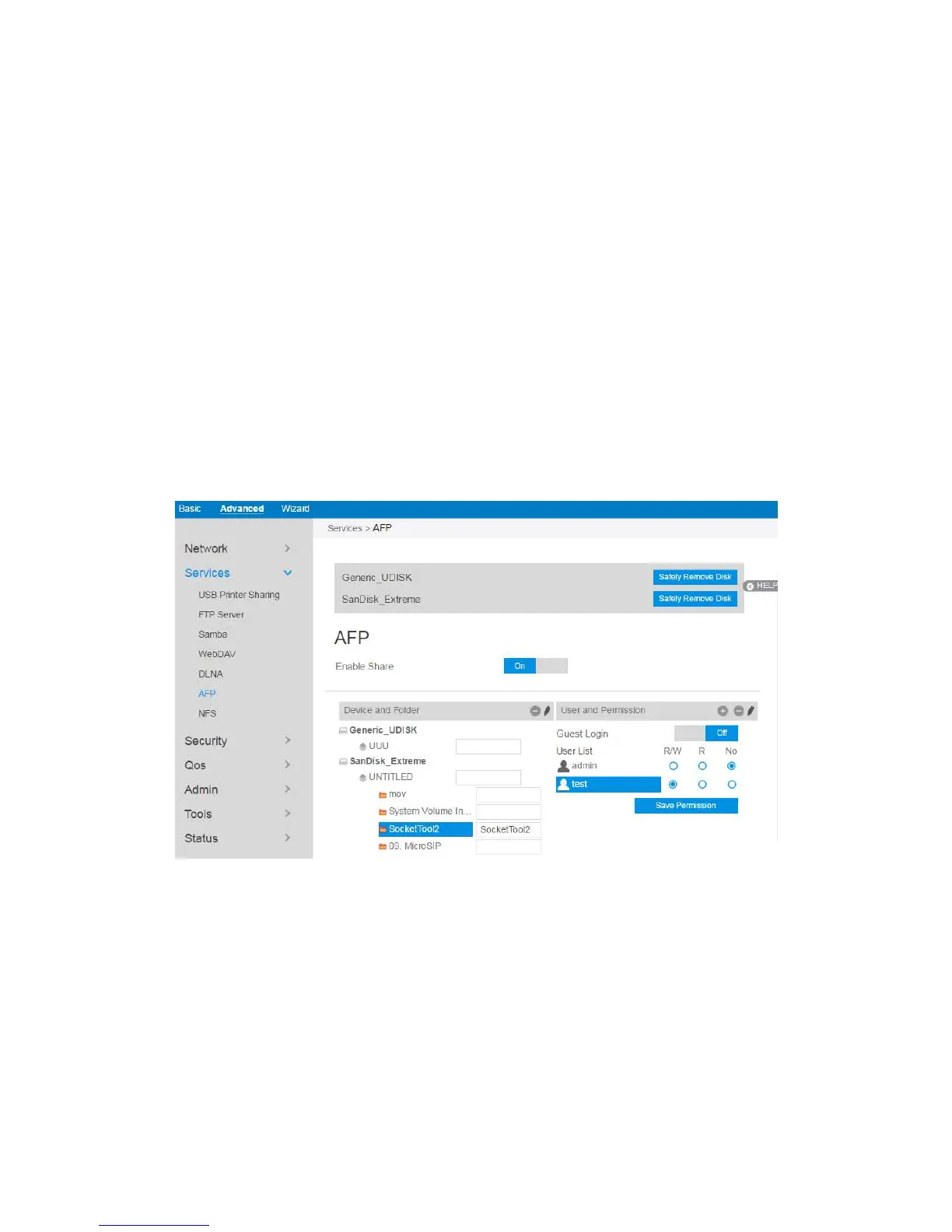
An AFP server is a kind of network file sharing server based on AFP protocol
implementation, mainly used for file sharing between Linux and MAC systems.
To set up AFP:
1. From the navigation panel, go to Advanced > Services > AFP Server.
2. Connect an external USB hard disk drive or USB flash drive to your router,
and your device will be displayed here.
3. Click the On/Off to enable/disable Internet access via AFP.
To create a new account:


 To Next Page