81
NOTE: Before setting up a VPN connection, you need the IP address or domain name
of the VPN server you are trying to access.
Steps to set up access to PPTP VPN server:
1. From the navigation panel, go to Advanced > Security > VPN > PPTP VPN
Server.
Enable VPN Server: enable or disable PPTP VPN Server.
VPN Details: The details of PPTP VPN Server. Select General or Advanced
settings.
Username and Password: The user information of PPTP VPN Server. Input
the user name and password for the VPN server and click the button.
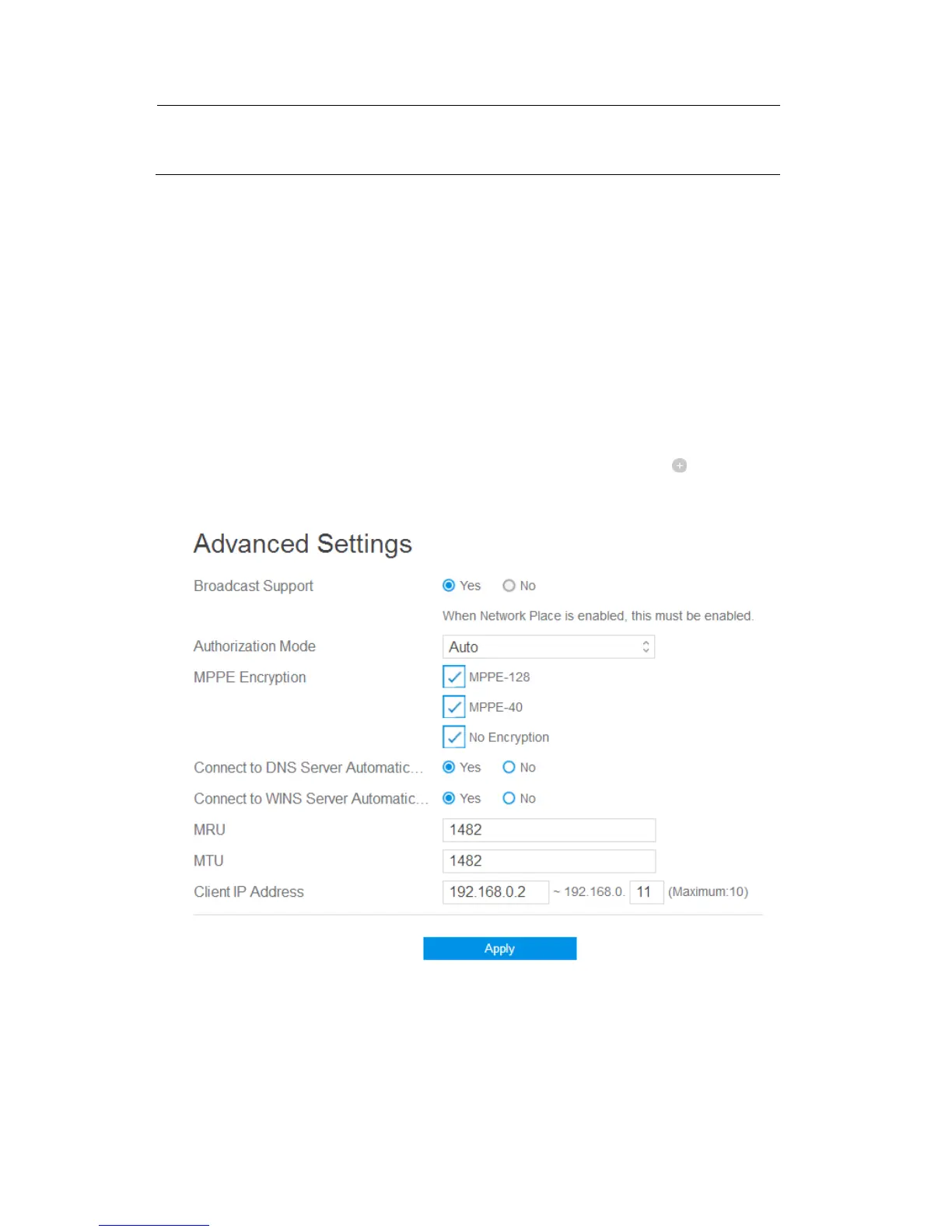
2. Advanced VPN server settings, as below.
Broadcast Support: Turns on broadcast relay to clients from the router.
Authorization Mode: Select Authorization Mode.
MPPE Encryption: Select MPPE Encryption type.
Connect to DNS Server Automatically: DNS of PPTP clients.



 To Next Page