85
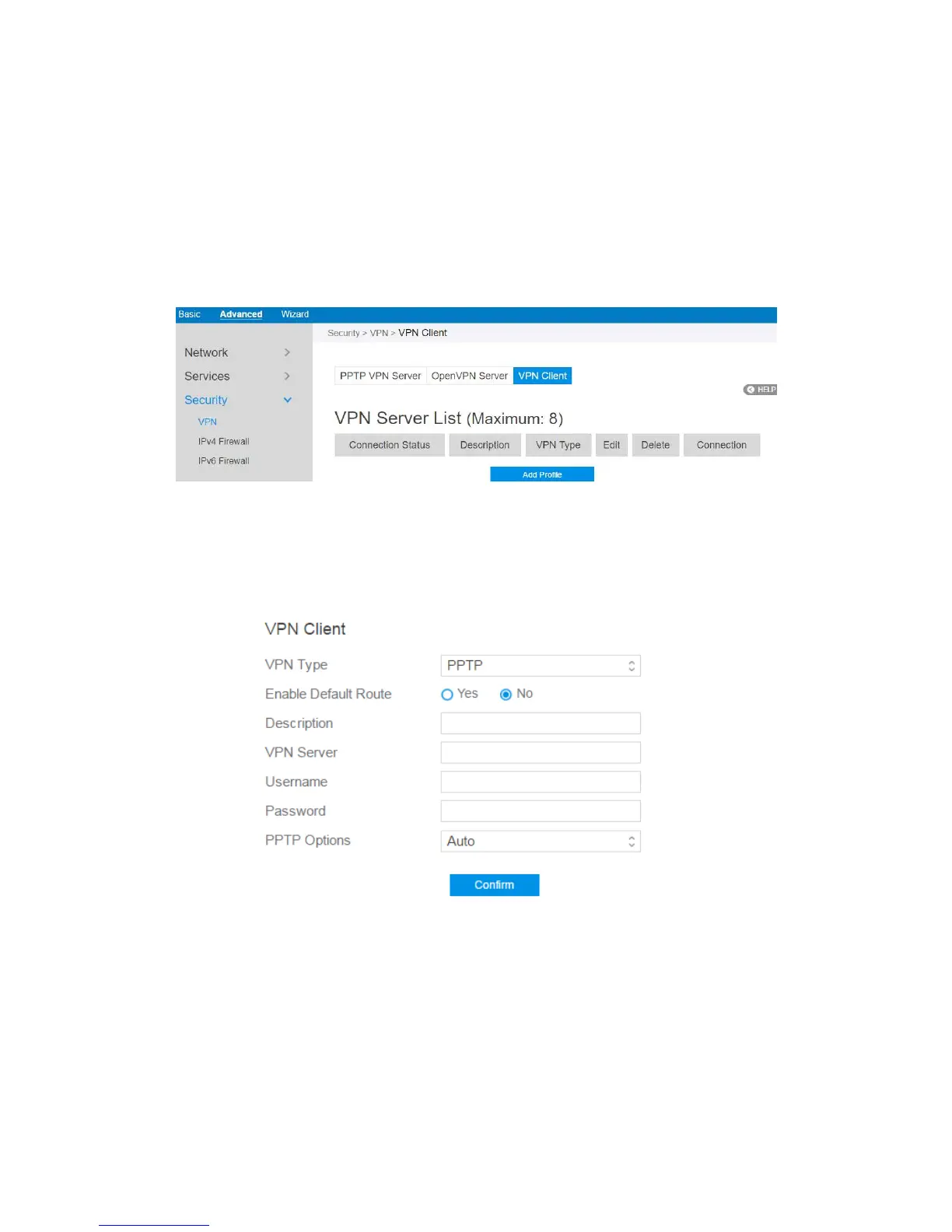
2.4.3.1.3 VPN Client
View the VPN server list and add profiles. There are three types of VPN servers:
PPTP, L2TP and OpenVPN.
Steps to setup a VPN Client:
1. From the navigation panel, go to Advanced > Security > VPN > VPN Client.
2. VPN Sever list is displayed. Click Add Profile to set up VPN Client.
3. VPN Server List: Current VPN Services which have been configured.
4. VPN Type: Type of VPN Server access such as PPTP, L2TP and OpenVPN.
5. Enable Default Route: Check [Yes] to use default route acquiring from VPN
Server. Check [No] to use general default route.
6. Description: Enter a description for reference.



 To Next Page