92
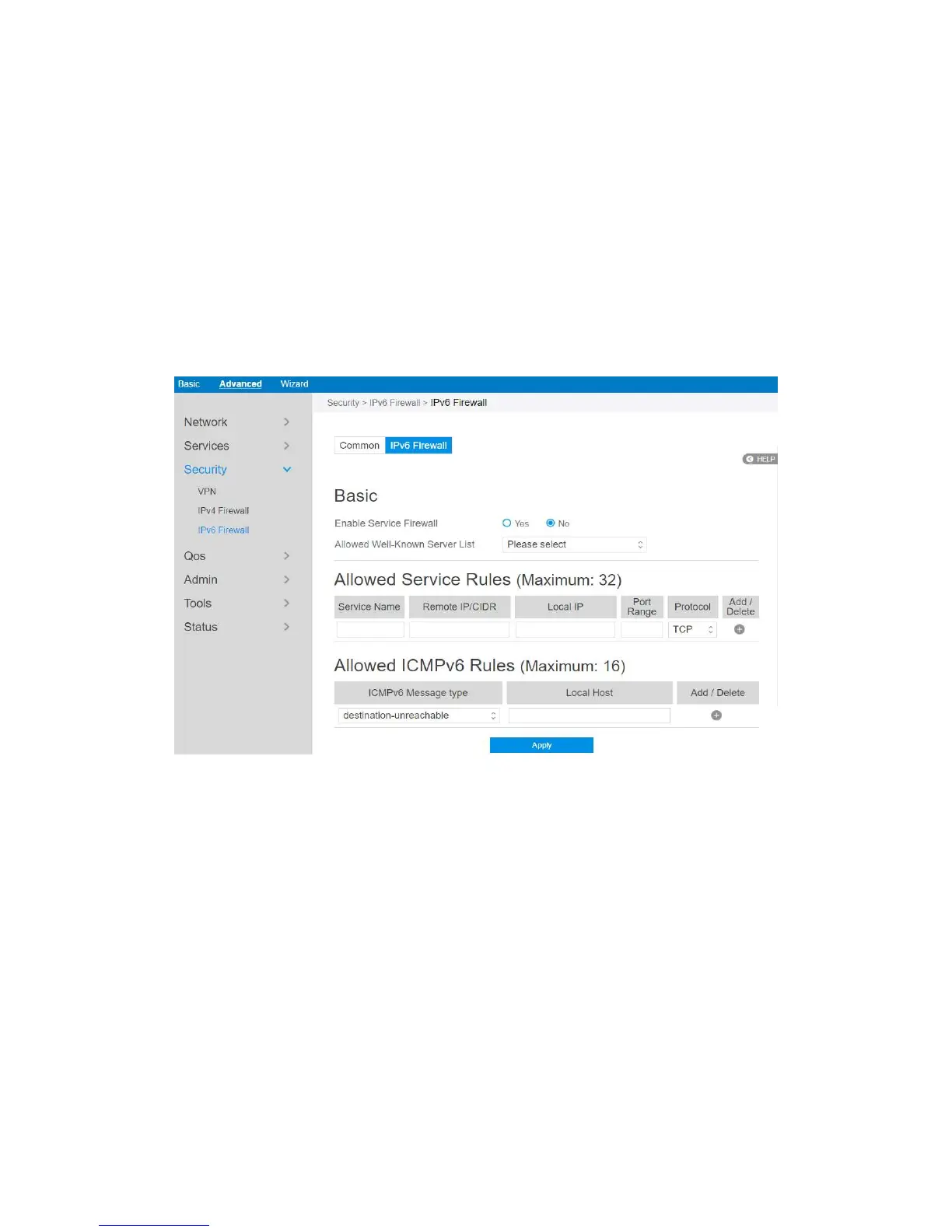
2.4.3.3.1 IPv6 Firewall
All outbound traffic coming from lan-side IPv6 hosts is allowed, as well as related
inbound traffic. Any other inbound traffic must be specifically allowed here. You can
leave the remote IP empty to allow traffic from any remote host. A subnet can also be
specified.
Steps to set up IPv6 Firewall:
1. From the navigation panel, go to Advanced > Security > IPv6 Firewall > IPv6
Firewall.
2. Enable Service Firewall: Enable or disable the IPv6 firewall. When disabled, all
IPv6 packages can input router, output router and forward without any limitation.
3. Allowed Well-Known Server List: List of well-known servers to be allowed.
For example: ftp, samba.
4. Service Name: The name of the service which will add IPv6 firewall rule.
5. Remote IP/CIDR: IPv6 address of a remote server.
6. Local IP: IPv6 address of a lan-side client.



 To Next Page