29
+
p105
OFF ON
+
Setting to optimise the drying cabinet's automatic programme is done using the buttons
on the control panel when the drying cabinet is in programming mode.
RETURN TO OPERATING MODE
To return to operating mode, press DOWN ARROW and then OK.
PROCEDURE
1 Step through to the relevant parameter by pressing the UP ARROW or DOWN AR-
ROW key repeatedly. If you go too far, simply continue stepping through until the
display shows the correct parameter.
2 When the display shows the correct parameter, for example “P 2072”, press OK to
confirm parameter selection. The row now flashes with the set value of the parameter.
3 Increase or reduce the parameter value using the UP ARROW or DOWN ARROW
key.
4 To save the set value, press OK.
PROGRAMMING MODE
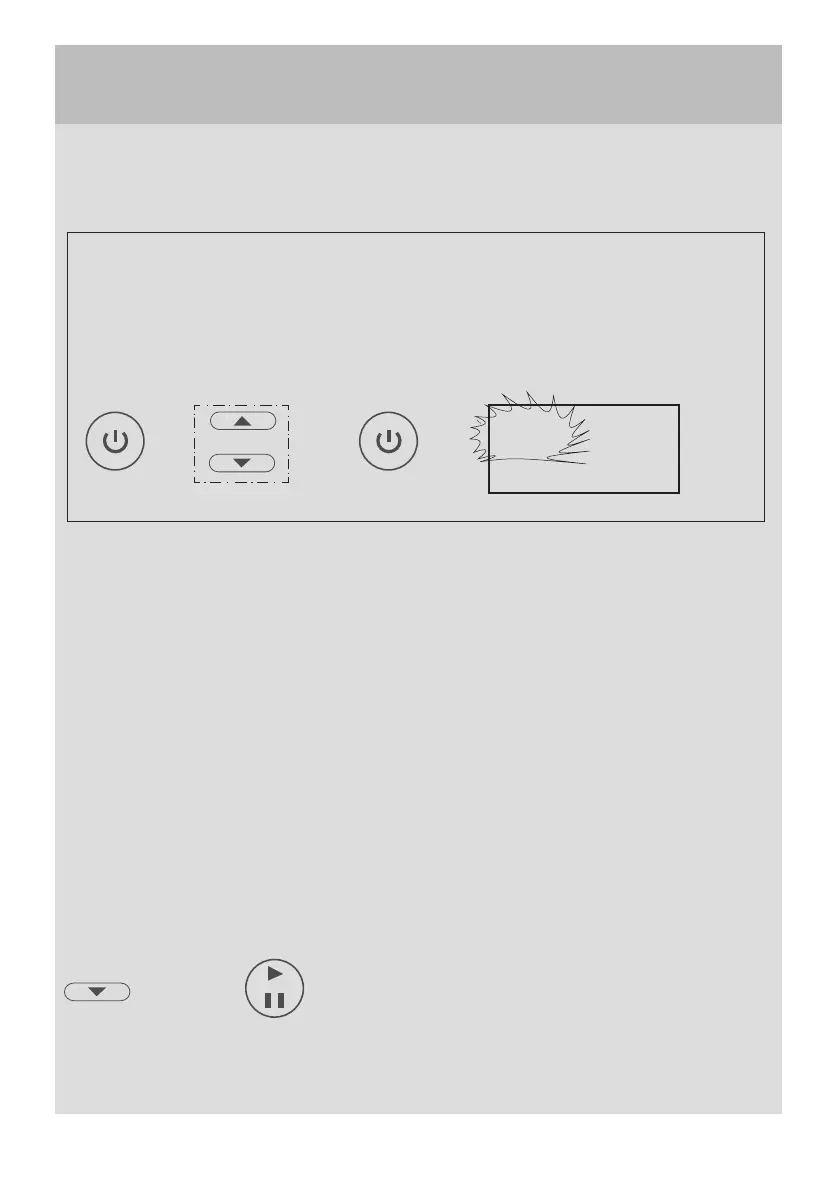
Make sure that the main ON/OFF switch on the drying cabinet is turned off. The
display is unlit.
Hold down the UP ARROW and DOWN ARROW buttons simultaneously
and press the ON/OFF switch. The display lights up and shows the first setting
parameter according to the list below.


 To Next Page