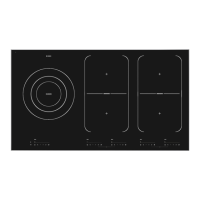
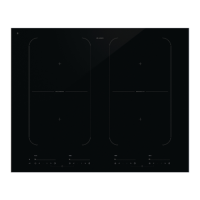
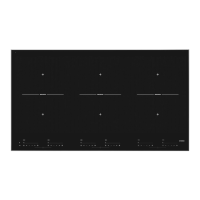
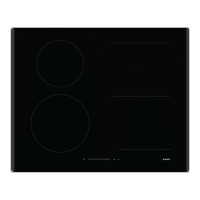
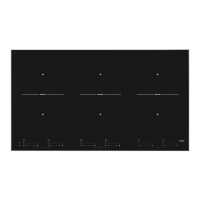
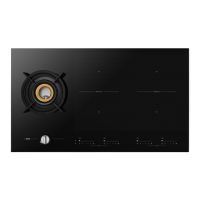
This document provides instructions for use of the ASKO Induction Hob models HI1621G / SIVK6B9TS, HI1631G / SIVK6B7TS, and HI1731G / SIVK6B7TS.
Function Description
The ASKO Induction Hob is designed for efficient and precise cooking, utilizing a magnetic field to generate heat directly in the pan. This method offers quick heating and the ability to set very low power levels for delicate cooking. The hob features multiple cooking zones, including "Flex Induction" zones that can be bridged to create larger cooking areas for specialized pans.
Important Technical Specifications
The hob models vary slightly in their cooking zone configurations and power outputs:
-
HI1631G/HI1731G:
- Front left: 180x220 mm, 2.1 kW (3.0 kW in Boost)
- Rear left: 180x220 mm, 1.6 kW (1.85 kW in Boost)
- Bridge left: 400x220 mm, 3.0 kW
- Rear right: 180x220 mm, 1.6 kW (1.85 kW in Boost)
- Front right: 180x220 mm, 2.1 kW (3.0 kW in Boost)
- Bridge right: 400x220 mm, 3.0 kW
- Connection: 220/240-50/60Hz
- Total connected load: 7400 W / 3700 W
-
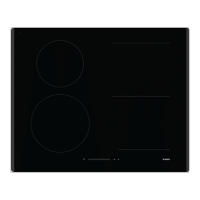
HI1621G:
- Front left: Ø 160 mm, 1.4 kW
- Rear left: Ø 200 mm, 2.3 kW
- Rear right: 180x220 mm, 1.6 kW (1.85 kW in Boost)
- Front right: 180x220 mm, 2.1 kW (3.0 kW in Boost)
- Bridge right: 400x220 mm, 3.0 kW
- Connection: 220/240-50/60Hz
- Total connected load: 7400 W / 3700 W
All models feature 4 cooking zones and use induction cooking technology. The energy consumption per cooking zone or area is 179.58 Wh/kg.
Usage Features
- Control Panel: The hob is operated via a touch-sensitive control panel with an On/Off key, slide controls for power settings, and dedicated keys for various functions.
- Power Levels: Each cooking zone has 9 power levels, plus a 'boost' (P) setting for maximum power during short periods (max. 10 minutes).
- Pan Detection: The hob automatically detects the presence of a suitable (ferrous) pan. If no pan is detected within 1 minute after setting the power, the zone switches off.
- Temperature Safety: Sensors monitor pan and hob temperatures to prevent overheating, automatically reducing power or shutting off if temperatures rise too high.
- Cooking-Time Limiter: Cooking zones automatically switch off after a set duration, which varies depending on the power level (e.g., 8 hours for setting 1, 1.5 hours for setting 9 or boost).
- Boost Function: Provides maximum power for rapid heating. Note that boost is not available in Bridge mode. Due to power restrictions, boost can only be active on one cooking zone simultaneously per side (left or right). If boost is activated on one zone, another active zone on the same side may have its power reduced or be switched off.
- Bridged Induction Zones: "Flex Induction" zones can be linked to create a single large cooking area, ideal for fish pans or other large cookware. This function is activated by simultaneously touching the cooking zone keys for the desired side.
- Child Lock: Locks the hob's operation to prevent accidental activation or changes to settings, protecting children from injury. Activated by pressing the child lock key for at least three seconds when the appliance is switched off and then on again.
- Pause Mode: Allows temporary interruption of the cooking process (e.g., for cleaning). Heating and timer settings are paused. The maximum pause time is 10 minutes, after which the hob will switch off.
- Cooking Timer/Alarm: A timer can be set separately for each cooking zone (up to 1 hour and 59 minutes), automatically switching off the zone when the time elapses. It can also function as a kitchen timer without affecting cooking zones.
- Autocook Function: Temporarily increases power to setting '9' to quickly heat pan contents, then automatically reduces to a selected level. Available for settings 1-8.
- Recall Function: Allows restoration of preceding settings on activated hotplates if the hob was accidentally switched off.
- Power Limiter: If the home installation is not suitable for 32 A current, the hob's total power consumption can be limited to 16 A (Lo Setting). This may restrict simultaneous maximum use of all zones.
Maintenance Features
- Daily Cleaning: Food spills should be cleaned immediately with a damp cloth and mild cleaning agent. Dry with kitchen paper or a dry tea towel.
- Stubborn Stains: Can be removed with mild cleaning agents or washing-up liquid. Water circles and limescale can be removed with cleaning vinegar. Special products are available for metal traces. Melted plastic and sugar are best removed with a glass scraper.
- Cleaning Precautions: Never use abrasives, steel wool, scourers, or anything sharp, as these can scratch the glass surface.
Pans for Induction Cooking
- Only use pans suitable for electric and induction cooking, with a thick (minimum 2.25 mm) and flat base. Pans with the 'Class Induction' quality mark are recommended.
- A magnet can be used to check suitability: if the pan base is attracted by the magnet, it is suitable.
- Unsuitable materials include earthenware, stainless steel (unless induction-compatible), porcelain, copper/aluminium, and plastic.
- Pans previously used on a gas hob are generally not suitable for induction.
- Minimum pan diameter is 12 cm. For Bridge zones, fish pans must be at least 22 cm long.
- Be cautious with thin enamelled sheet-steel pans, as enamel can be damaged at high settings if the pan boils dry, and high power can warp the pan base.
- Never use pans with a misshapen base, as this can interfere with overheating protection and potentially damage the hob.


 To Next Page
 General