V1.1 22/01/15 Page 17 of 28
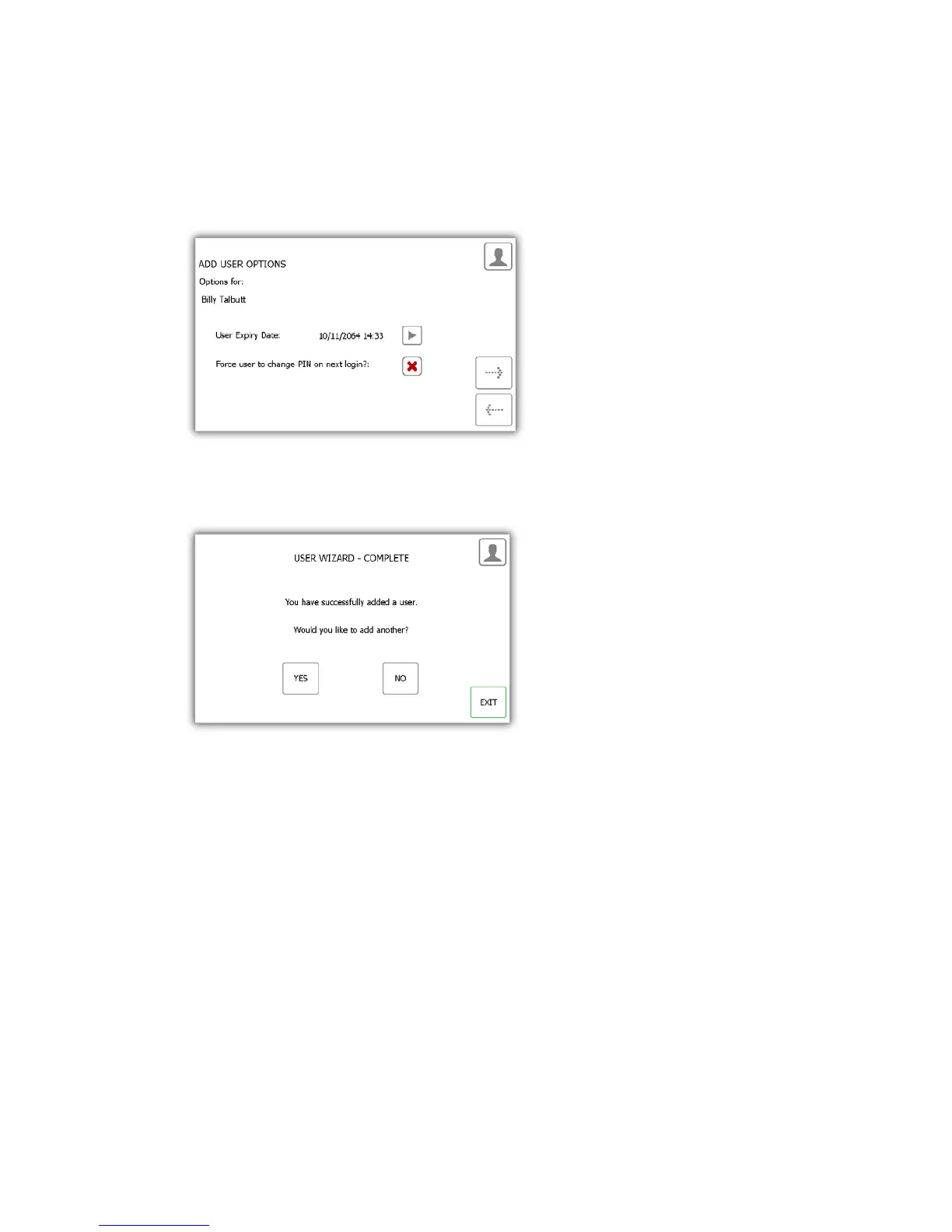
4. At the options page you can set the following...
• User Expiry Date – Here you can set the date and time the users profile expires and becomes
inactive at the system.
• Force user to change PIN on next login? – enabling this option will force the user to change their PIN
when they next attempt to log onto the system.
Select the appropriate features and click the forward arrow.
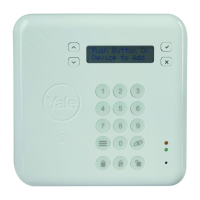
5. The user wizard is now complete. A message will appear stating that you have successfully added a user.
6. If you want to add more users click yes and you will be taken to a new user details screen. Follow steps 2-5
again.
7. If you are finished and do not want to add any more users click no and you will be taken back to the Admin
menu.


 To Next Page