V1.1 22/01/15 Page 8 of 28
3.3 KEYBOARD
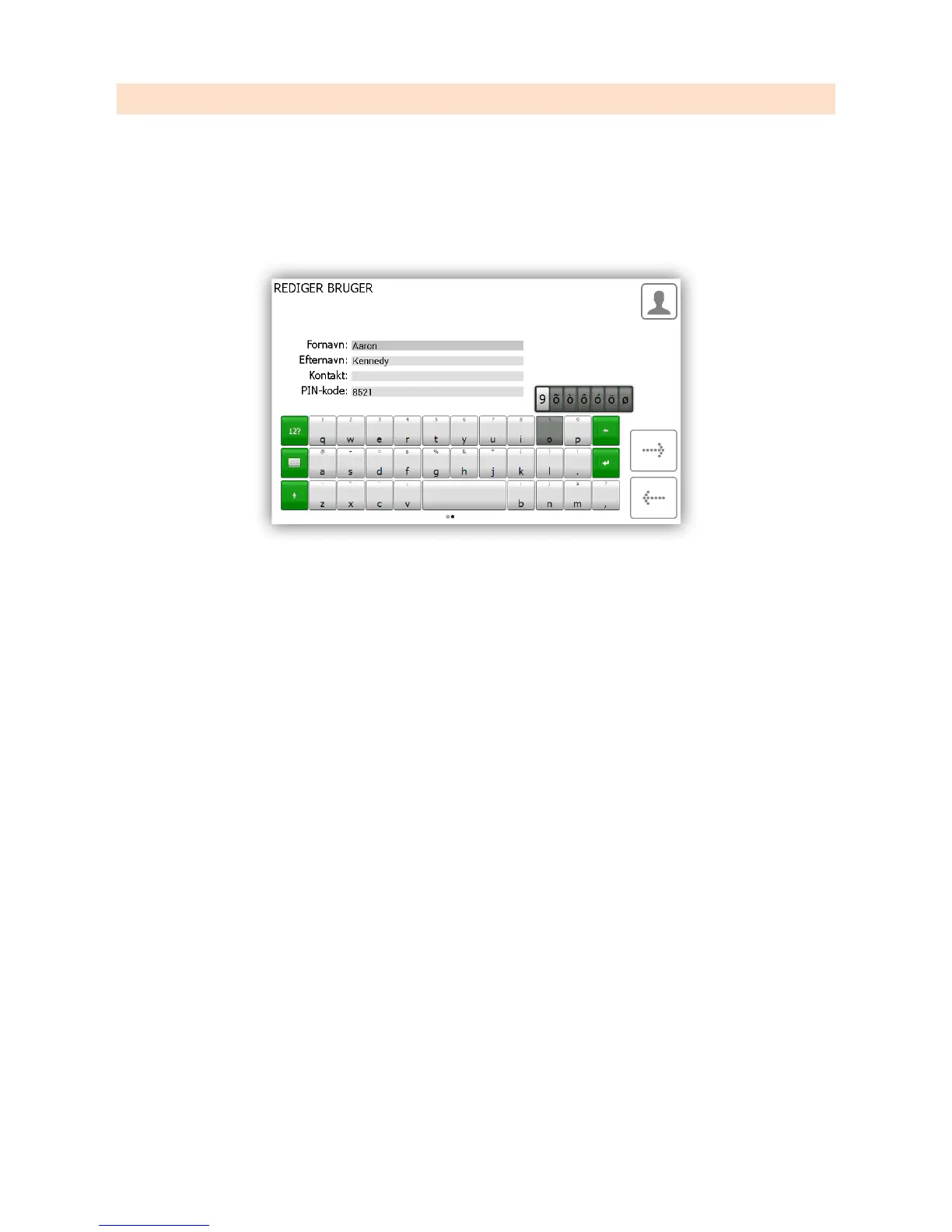
The Traka21 keyboard supports extra characters that are selectable depending on the language your system is set too.
To show these special characters, you will need to hold down the similar key on the keyboard and it will provide you
with a list of special characters to choose from.
E.g. To get the Danish character “Ø” your system would need to be set to Danish, you would then need to hold down
the “O” key and choose a character from the list pop up list.
In the next section you will be able to define the language you wish your system to be. To change your systems
language after that, please refer to the General settings section in 1 5 1- Traka21 User Guide.


 To Next Page