V1.1 22/01/15 Page 9 of 28
4. GETTING STARTED
4.1 INSTALLING AND POWERING UP THE SYSTEM
Ensure you have read and completed the Installation Instruction sheet that comes with the Traka21 system. This will
give you instructions on how to install the system and switch the power on.
4.2 SETUP WIZARD
Once the system is powered on, you will be taken straight into the Setup Wizard. This wizard will take you through the
essential first steps to getting the system up and running.
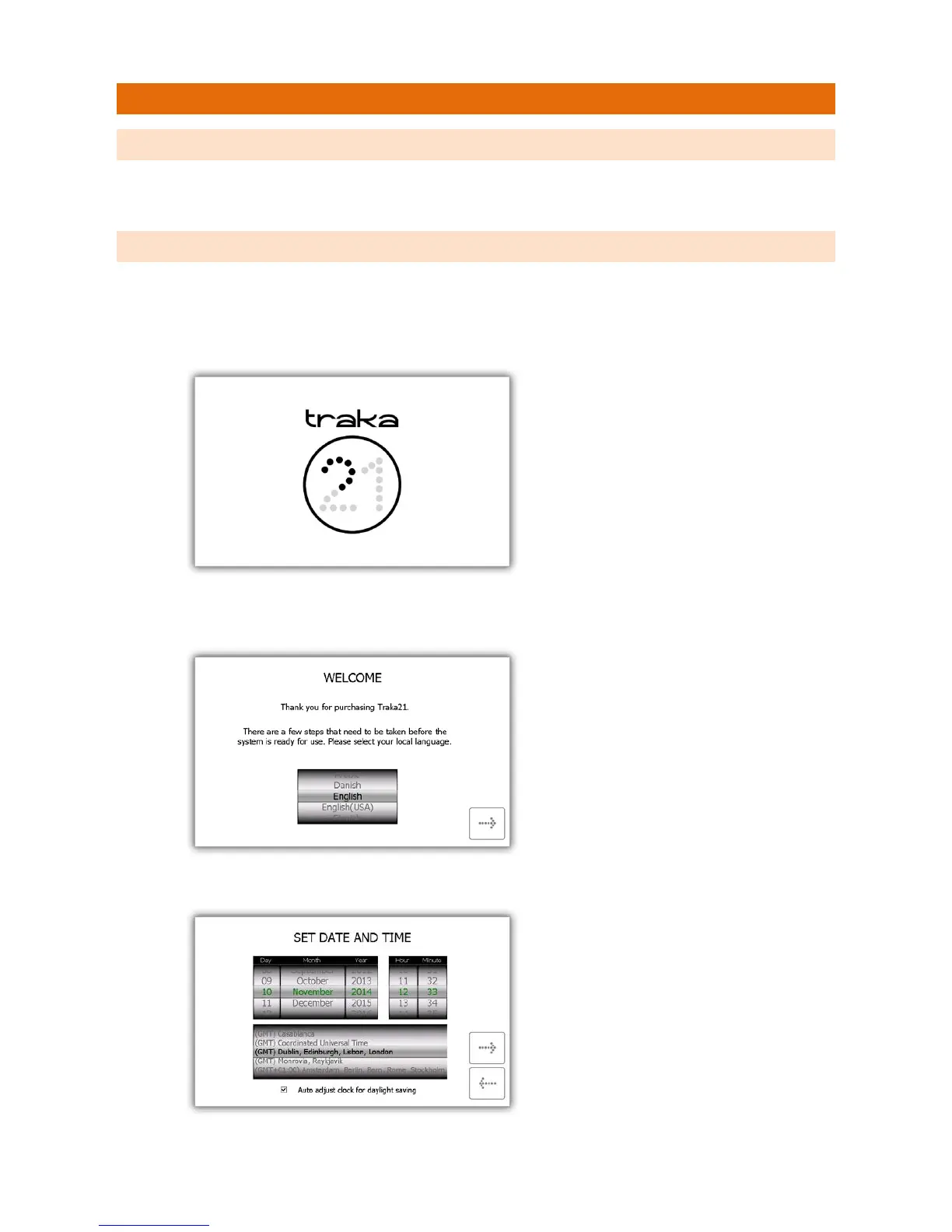
1. When the system is switched on you will be presented with the loading screen.
2. Once the system has finished initialising, the setup wizard will begin. At the Welcome page select your
language and click the forward button.
3. Select the date and time then click the forward button.


 To Next Page