V1.1 22/01/15 Page 24 of 28
9.3 EXPORTING REPORTS
Once you have run a report you can export the data to a USB memory stick.
1. Run a report as instructed in the previous sections.
2. On the results page there is a button in the bottom right hand called Export.
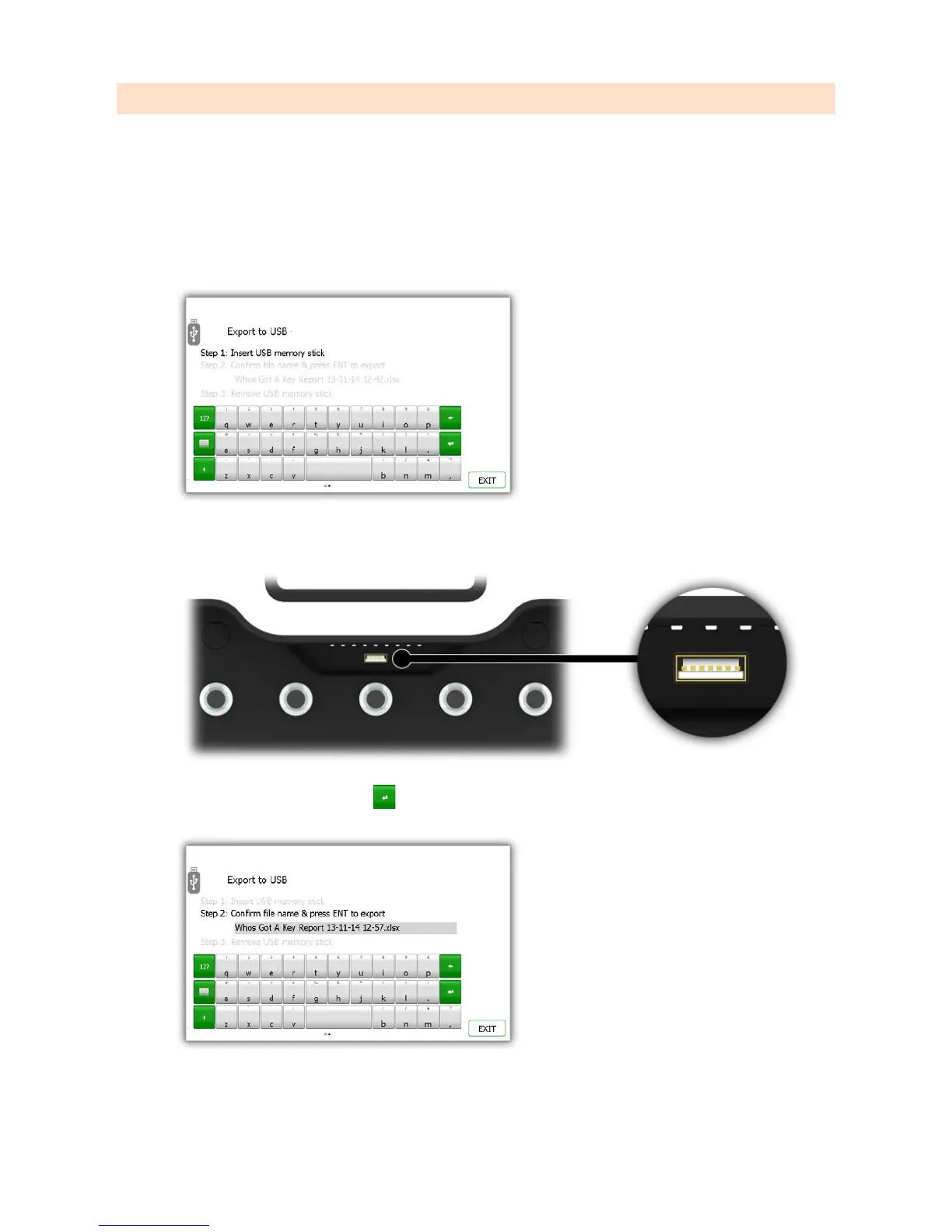
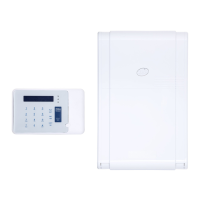
3. Click the Export button and a new screen will appear prompting you to enter a USB memory stick.
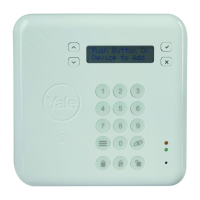
4. Insert a USB memory stick into the slot on the system.
5. Type a filename and select enter to begin the exporting process.
NOTE: Do note remove the memory stick whilst the data is transferring. You may corrupt or even loose
the data.


 To Next Page