V1.1 22/01/15 Page 22 of 28
9.2 WHO’S HAD A KEY?
This report will allow you to see the history of a particular key, i.e. which users have had it out of the system.
1. Enter your PIN at the system.
2. The door will then open.
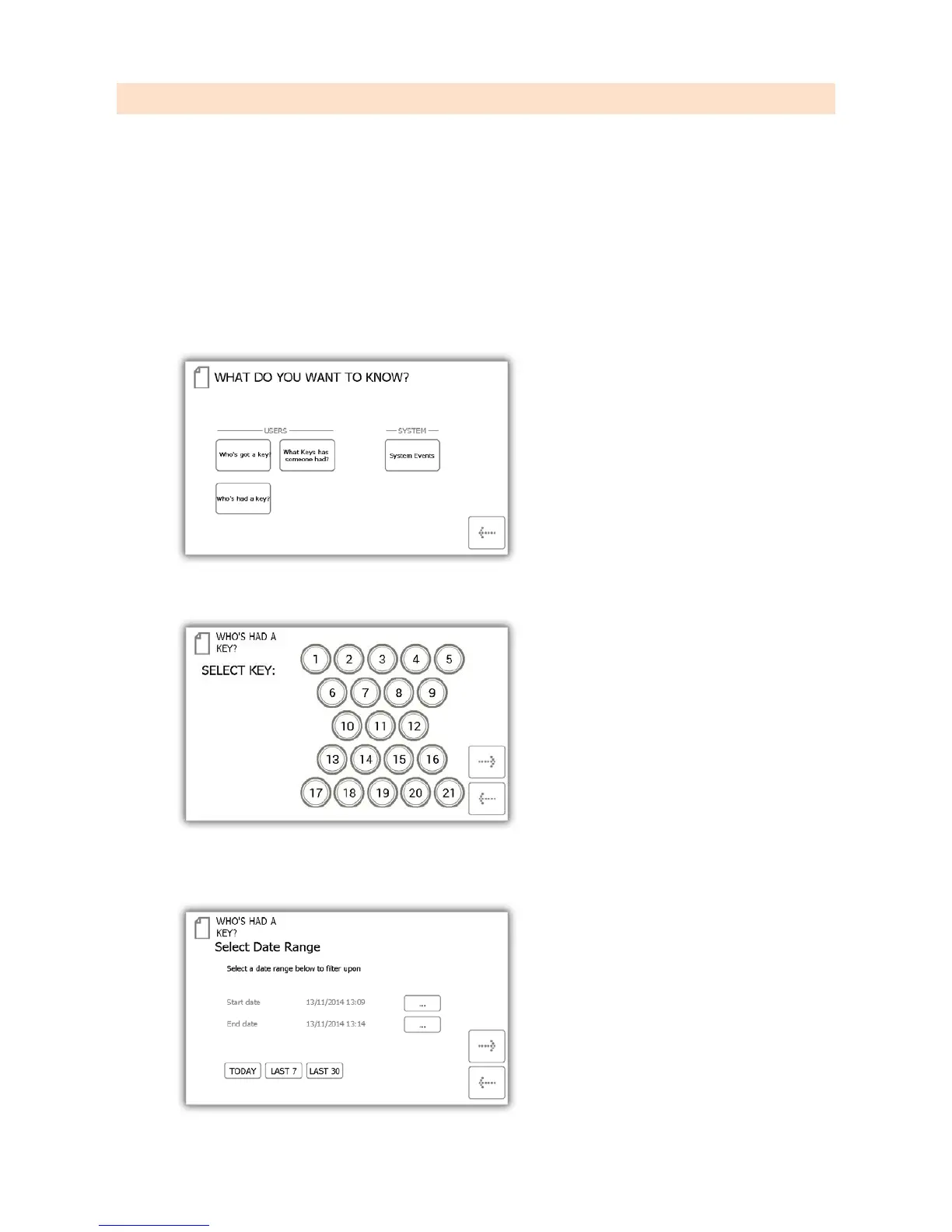
3. Select the Admin button.
4. From the admin menu select the reports button.
5. In the Users category, select the ‘Who’s had a Key?’ button.
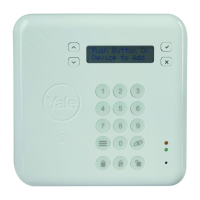
6. Select the key you wish to view the history of and click the forward button.
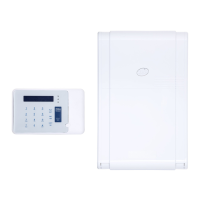
7. Next you will need to filter your results by selecting a data range. You can manually enter a start and end
date or use the pre-set buttons at the bottom to automatically enter the date range for you.


 To Next Page