V1.1 22/01/15 Page 26 of 28
10. HELP
The Traka21 has embedded help topics that will assist you with the everyday tasks of using the system. The help page
can be viewed from two locations, the main login screen and the admin menu. Every user will be able to view the help
page from the login screen but it will have limited help topics available. If an admin user access the help page in the
admin menu there are many more topics
10.1 STANDARD USER HELP
A standard user will only have access to the help topics at the login screen of the Traka21.
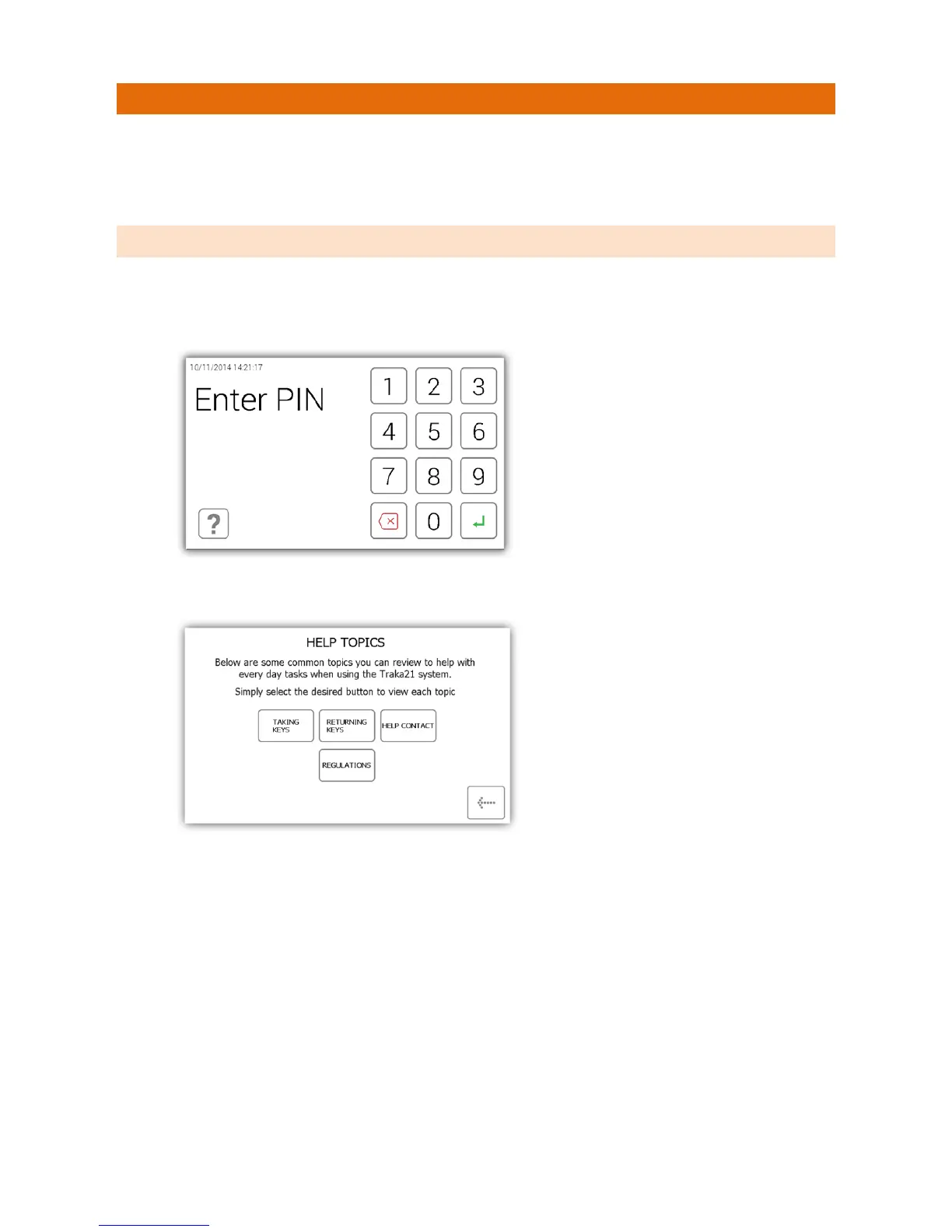
1. From the main login screen select the help button.
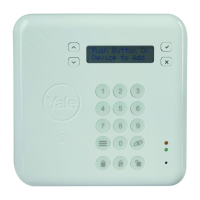
2. When the help screen appears you will have three options to select from.
• Taking Keys - Will give you a pictorial overview on how to remove a key from the system.
• Returning Keys - Will give you a pictorial overview on how to return a key to the system.
• Help Contact - Will display contact details if you need technical assistance.
• Regulations – This page will give you all the information on the compliances that the Traka21 adheres
to.
3. Select the desired button to open the topic.
4. To return to the help screen, click the back button.


 To Next Page