V1.1 22/01/15 Page 12 of 28
5. LOGGING IN AND ACCESSING THE ADMIN MENU
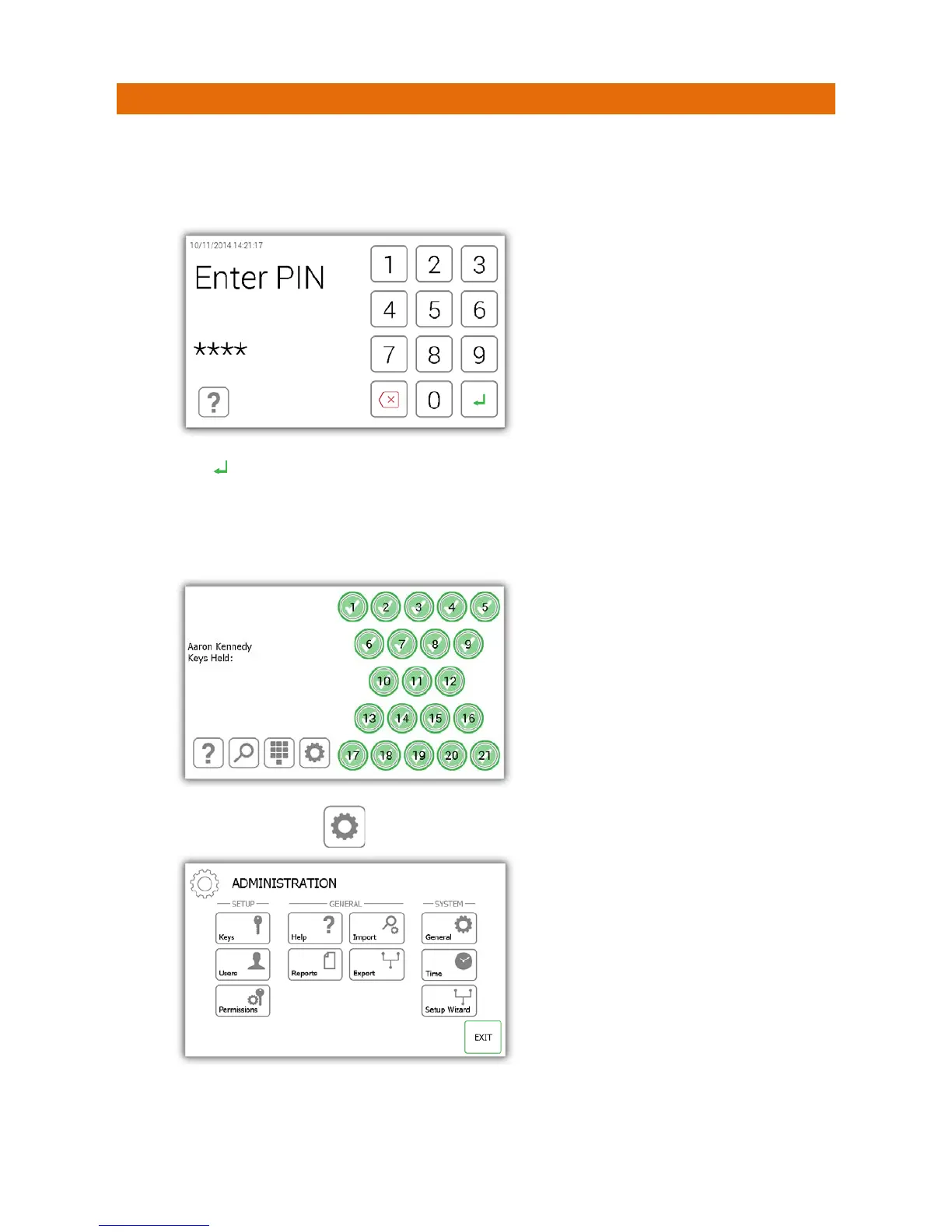
When the setup wizard is complete you will be taken to the login screen.
1. Touch the screen to bring the system out of power save mode.
2. Enter your PIN.
3. Press (enter) to confirm your PIN.
4. The door will then open allowing you access to the keys.
5. Verify your name on the touch screen.
6. Select the admin button .
7. From the admin menu select either the Keys or Users button to add keys and users to the system. Please
refer to the relevant sections below (Section 6 Adding Keys, Section 7 Adding Users).


 To Next Page