V1.1 22/01/15 Page 21 of 28
9. REPORTS
Reports allow you to view all the transactions and events that have occurred at the system. To access reports, a user
with admin permissions must access the admin menu
For more information on reports Traka21 has to offer please read the latest version of 1 5 1 – Traka21 User Guide.
9.1 WHO’S GOT A KEY?
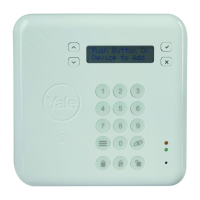
This report will how you who currently has what keys out of the system.
1. Enter your PIN at the system.
2. The door will then open.
3. Select the Admin button.
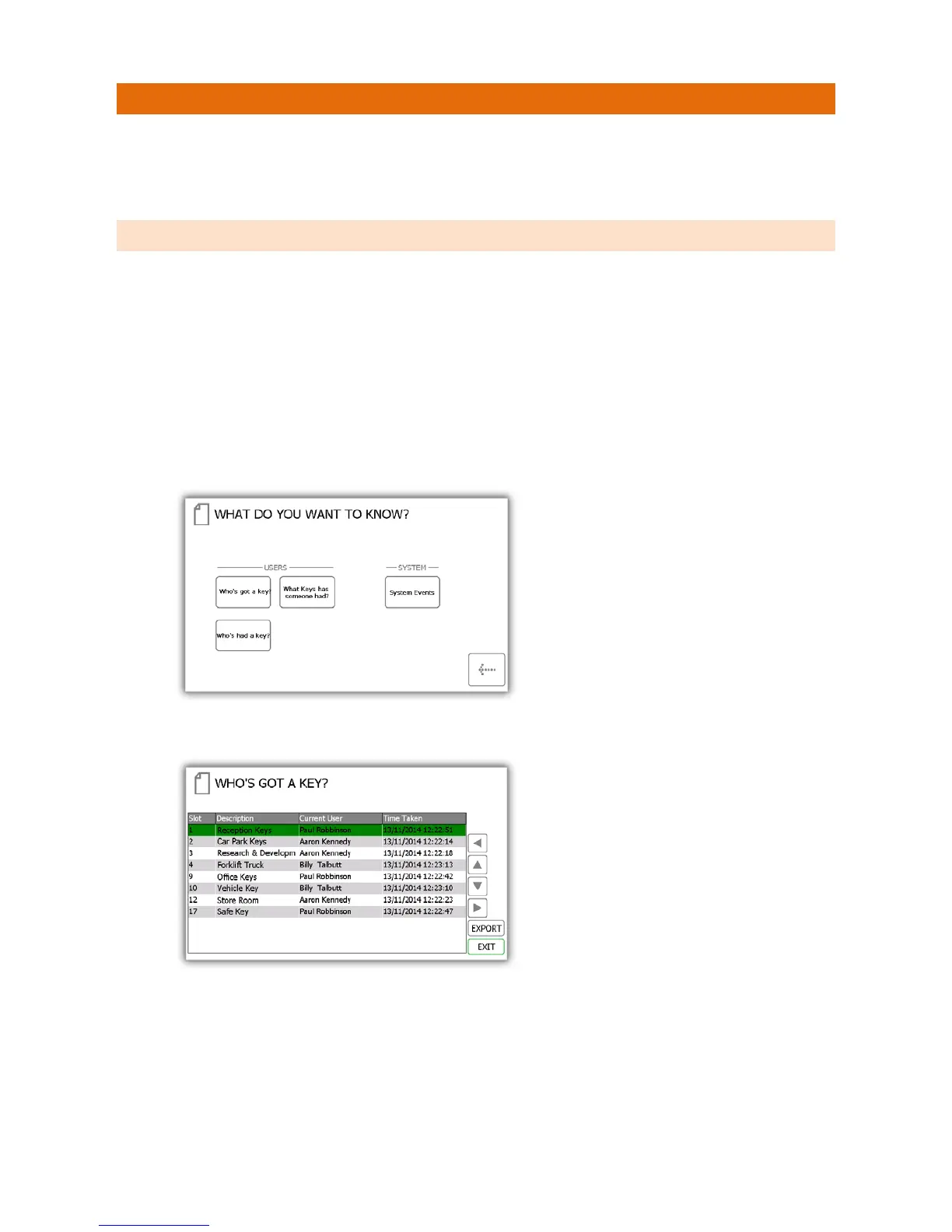
4. From the admin menu select the reports button.
5. In the Users category, select the ‘Who’s got a Key?’ button.
6. Traka21 will then generate a list of all the users who currently have any iFob’s out of the system.
7. You can export this information to a USB memory stick if you wish by clicking the Export button. Please
review the Exporting Reports topic at the end of this section for more details.


 To Next Page