V1.1 22/01/15 Page 10 of 28
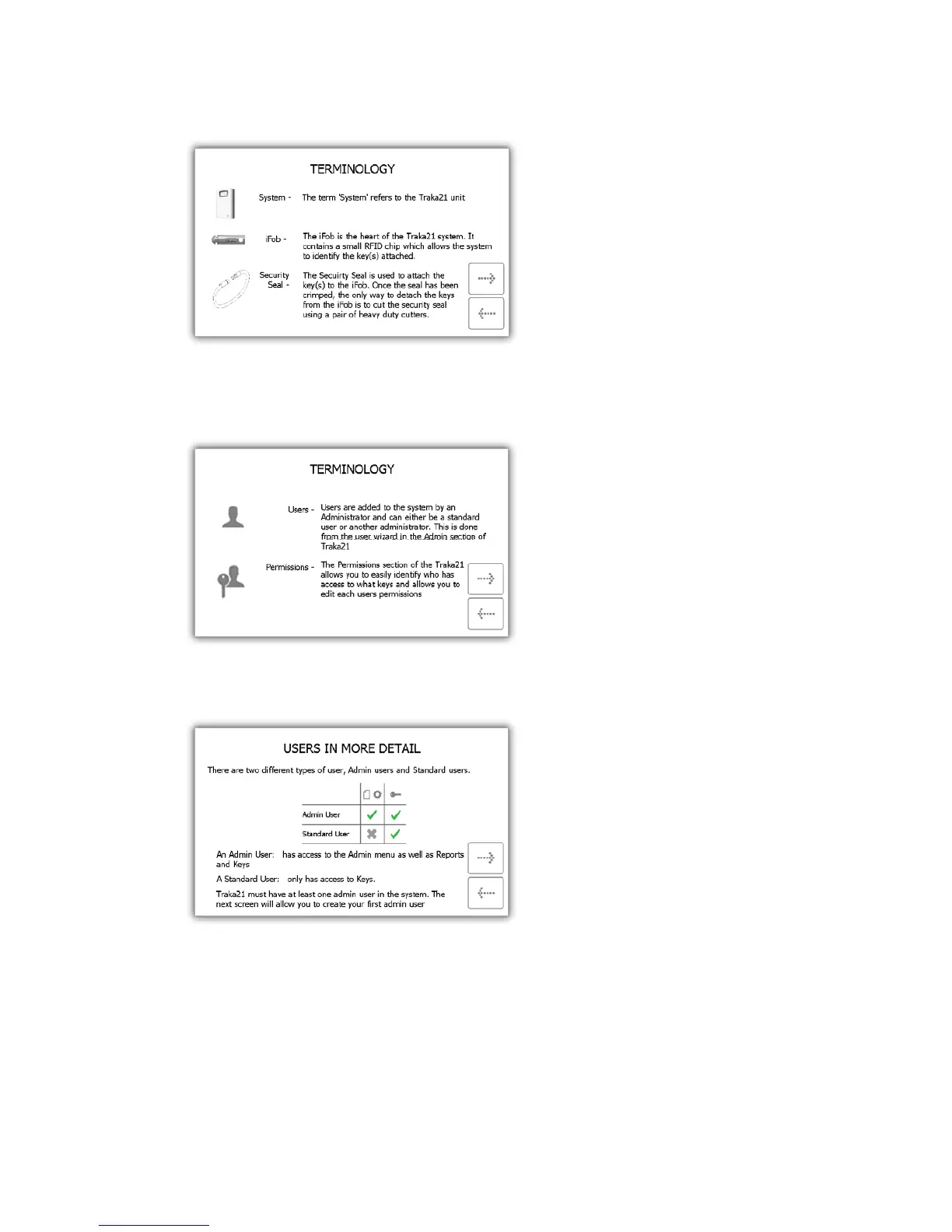
4. This section shows a breakdown of Traka21 hardware terminology. Read this page and click the forward
button.
5. This section explains how the users are added to the system by the administrator from the user wizard and
how you can edit a user’s access from the permissions section of the admin menu. Read this page and click
the forward button.
6. This page explains the difference between standard and admin users. Read this page and click the forward
button.
• Standard Users – Can only remove and return keys. Providing they have been granted access to
those keys in their user details.
• Admin Users – Can access keys, the admin menu and run reports.
7. Next you will prompted to add the first admin user of the system. Enter the Forename, Surname, Contact &
PIN number into the provided fields. When you are done click the forward button.


 To Next Page