TECHNICAL MANUAL. START-UP AND OPERATION
How to set the temperature?
Press the key “set” for at least 2 seconds, then enter the state of temperature setting, here the LED displays the setting temperature, then
using “
” key or “
” key can change the parameter (the key “
” adds 0.1°C, the key “
” minuses 0.1°C, press and
hold it over
0.5 seconds can add or minus rapidly). After setting, press “set” again, then exit the state of parameter setting. (The
setting temp range is
limited by the parameters F13 and F14; please refer to the senior operation). Pressing the key “M” in the setting process means cancel and
exit, but the setting value will not be saved.
How to read the temperature of the evaporator sensor?
When displaying current temperature, press “
” key, Controller will display defrosting temperature. Loose “
” key, then return to
current
temperature.
Advanced Operation
Press the key “M” and hold it for
5
seconds, and if you have set the password, the LED display the “PAS” to hint you to enter the
password,
you can use the key “
” and “
” to enter the password, if the password is correct, the LED will display the parameter
code, use “
”
or “
” to select the parameter code. Pressing the “set” key can make it to show the value of the parameter after
select the
parameter, here you use “
” or “
” to set the parameter (pressing the key and not release can add or minus rapidly),
then press
the “set” key to return to the state of showing parameter code after finishing setting. Pressing the key “M” can exit the
parameter setting
state when display the parameter code, pressing the key “M” means cancel when in the process of setting parameter, and the parameter will
not be changed.
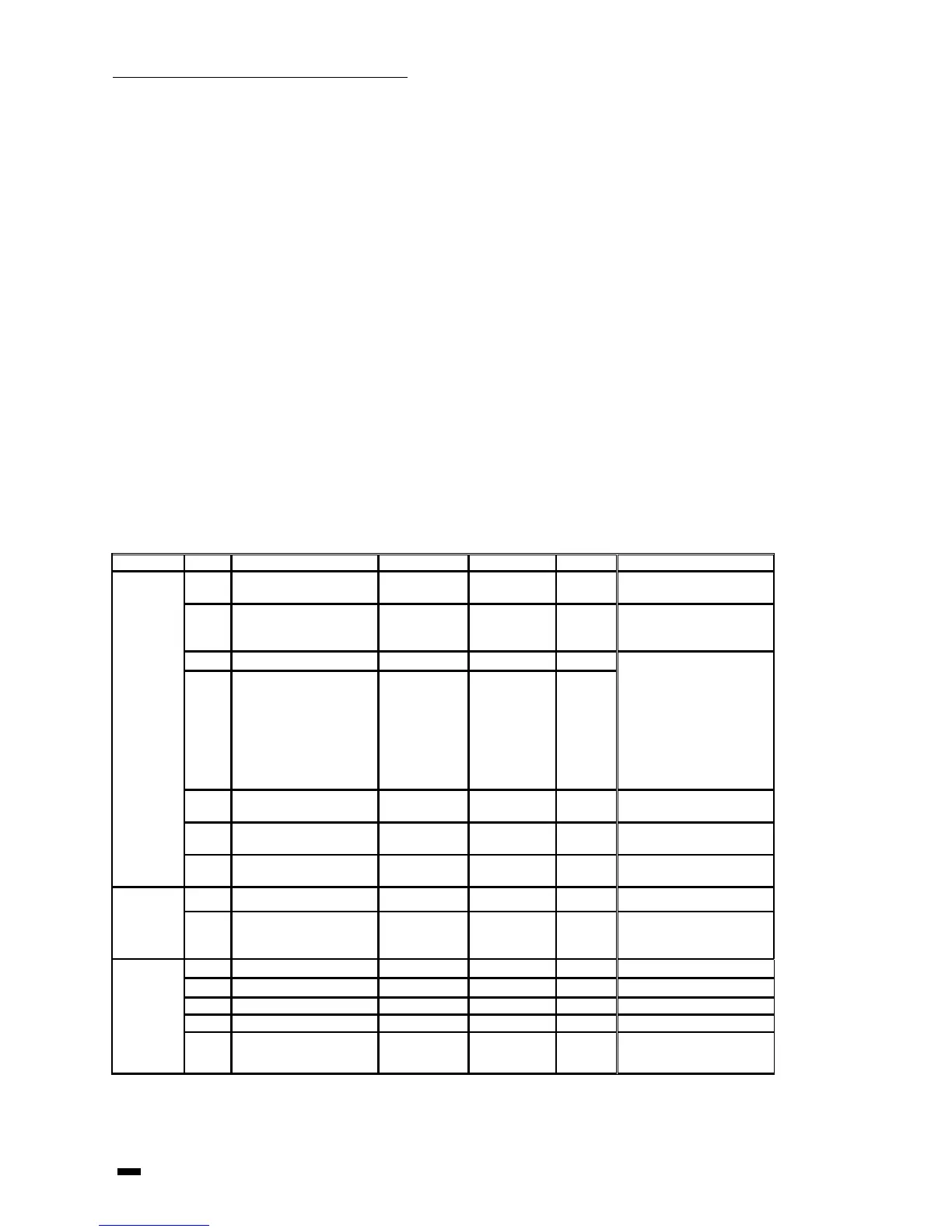
Internal parameter code is showing bellow:
follow the rule of
F14<F11<F13 forciB, if you
find out that one parameter
can not be adjusted, it is
because the parameter is
limited by other parameters,
you must first adjust other





 To Next Page