DVI
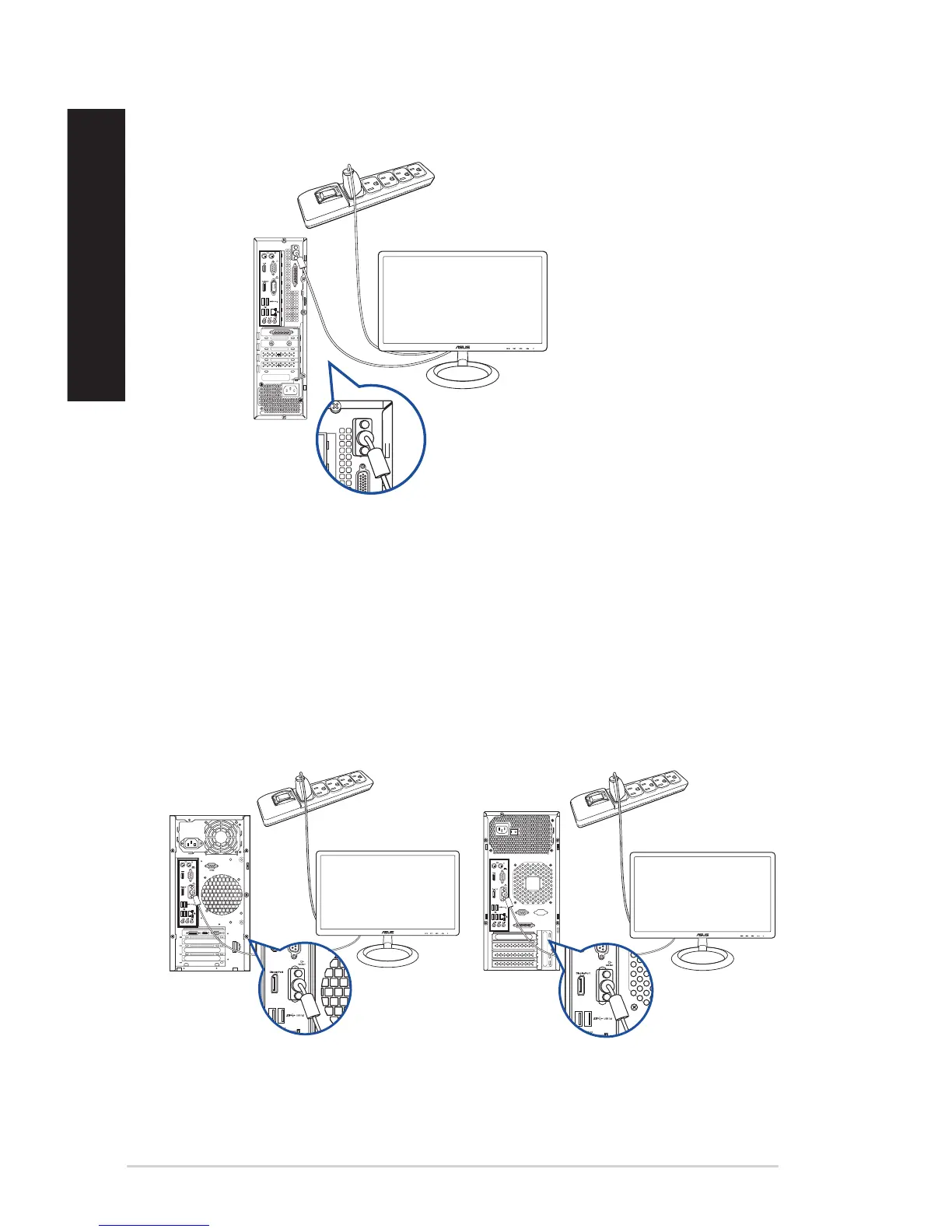
D520SF (BP1CD/SD330)
Using the onboard display output ports
Connect your monitor to the onboard display output port.
To connect an external monitor using the onboard display output ports:
1. Connect a VGA monitor to the VGA port or a DVI-D monitor to the DVI-D port on the rear
panel of your computer.
2. Plug the monitor to a power source.
D520MT (BM2CD)
DVI
DVI
MD330 (BM3CD)
26 Chapter 1: Getting started
ENGLISH
ENGLISH



 To Next Page