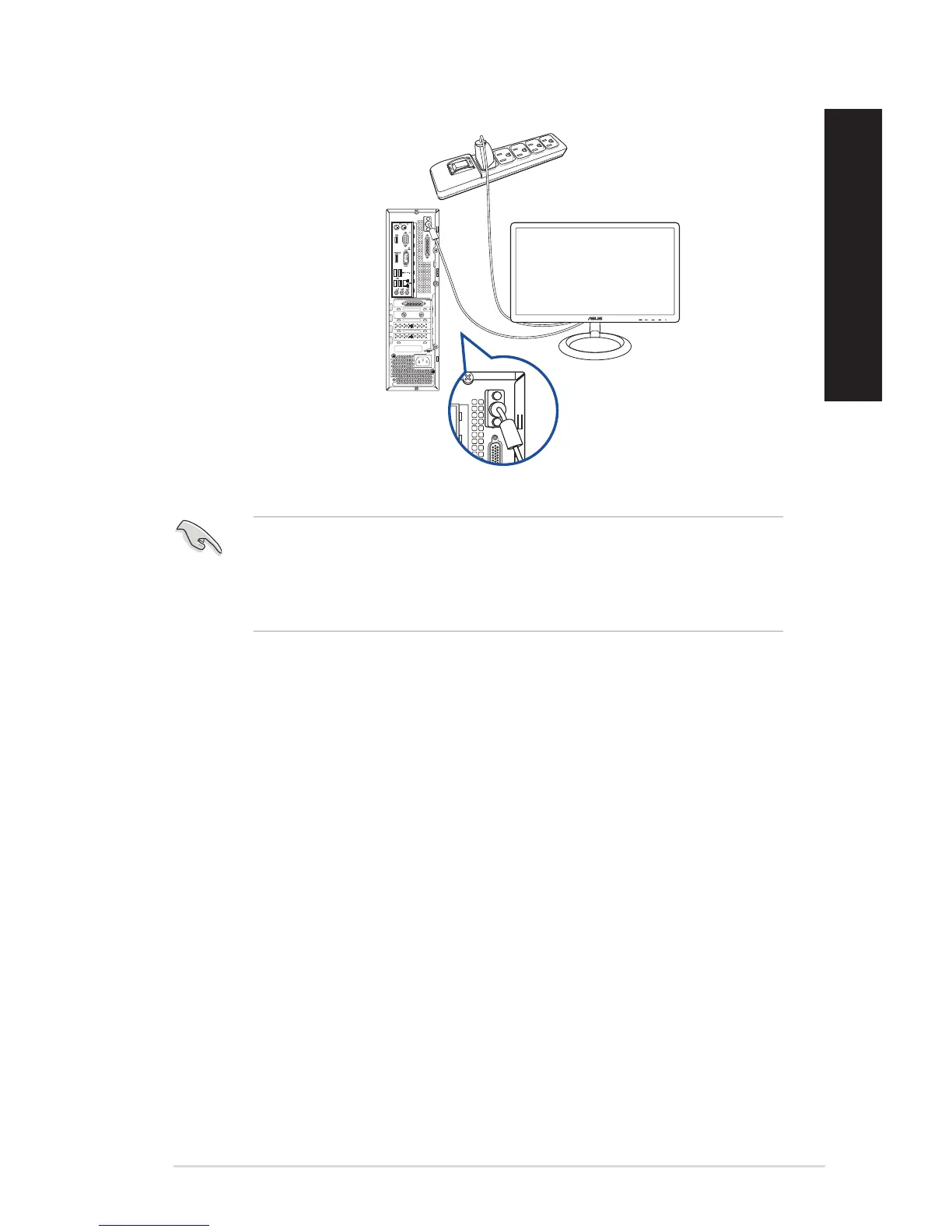
• IfyourcomputercomeswithanASUSGraphicsCard,thegraphicscardissetastheprimary
display device in the BIOS. Hence, connect your monitor to a display output port on the
graphics card.
• Toconnectmultipleexternalmonitorstoyourcomputer,refertoConnecting multiple
external display in Chapter 2 of this guide for details.
DVI
D520SF (BP1CD/SD330)
ASUS Desktop PC 27
ENGLISH
ENGLISH



 To Next Page