4-22
Chapter 4: Using the Eee PC
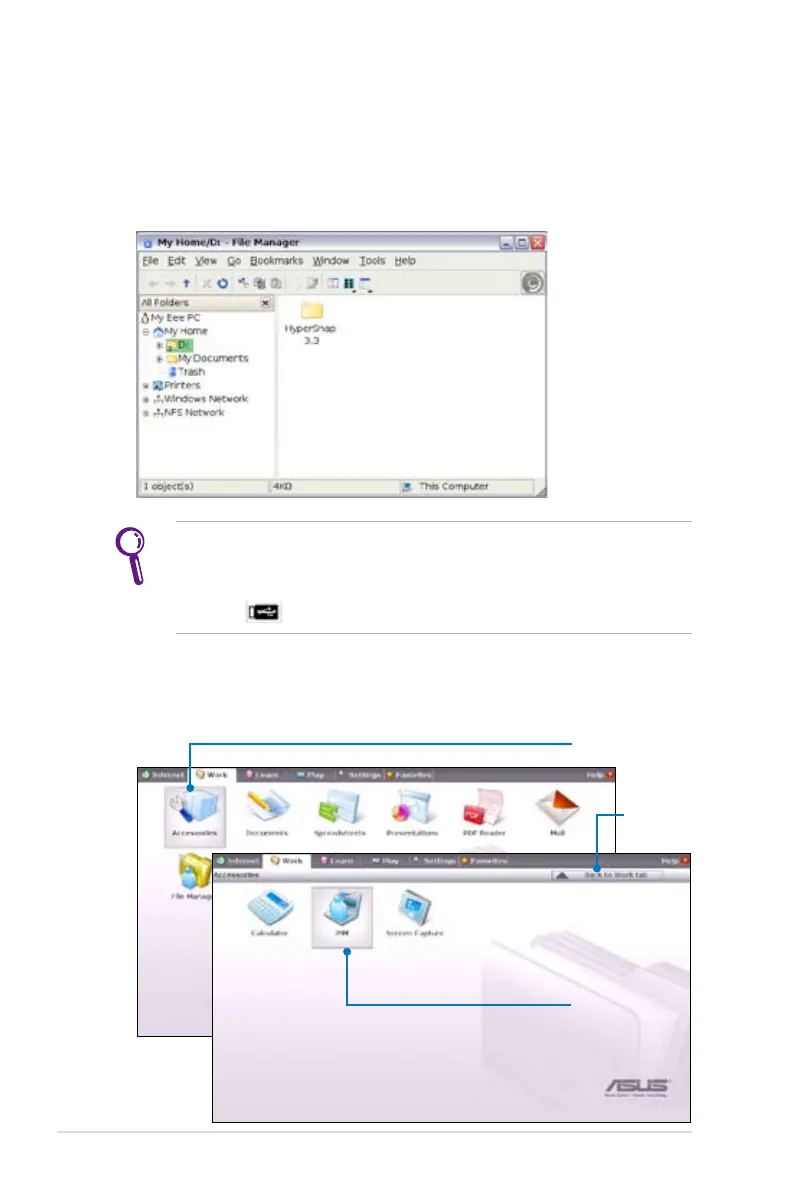
3. All the files and folders in your USB external storage device are
shown in the right pane. Locate the desired file and double-click
it to open.
• Use the directory tree in the left pane to locate files more quickly
if numerous folders are listed.
• To remove your connecting the USB device, right click the USB
icon in the Notification area and select Safely remove.
Click to open the
Accessories
II. PIM (Personal Information Manager) helps manage personal
information like appointments, to-do items and contacts.
Select PIM
to initiate
KDE Personal
Information
Manager
Click to
return to
the Work
tab














 To Next Page