4-42
Chapter 4: Using the Eee PC
Voice Command (in selected territories)
Operate your Eee PC hands-free. With voice command, you can
launch Eee PC utilities without touching the keyboard. Just let your
lips do the service.
Follow the instructions below to use voice command:
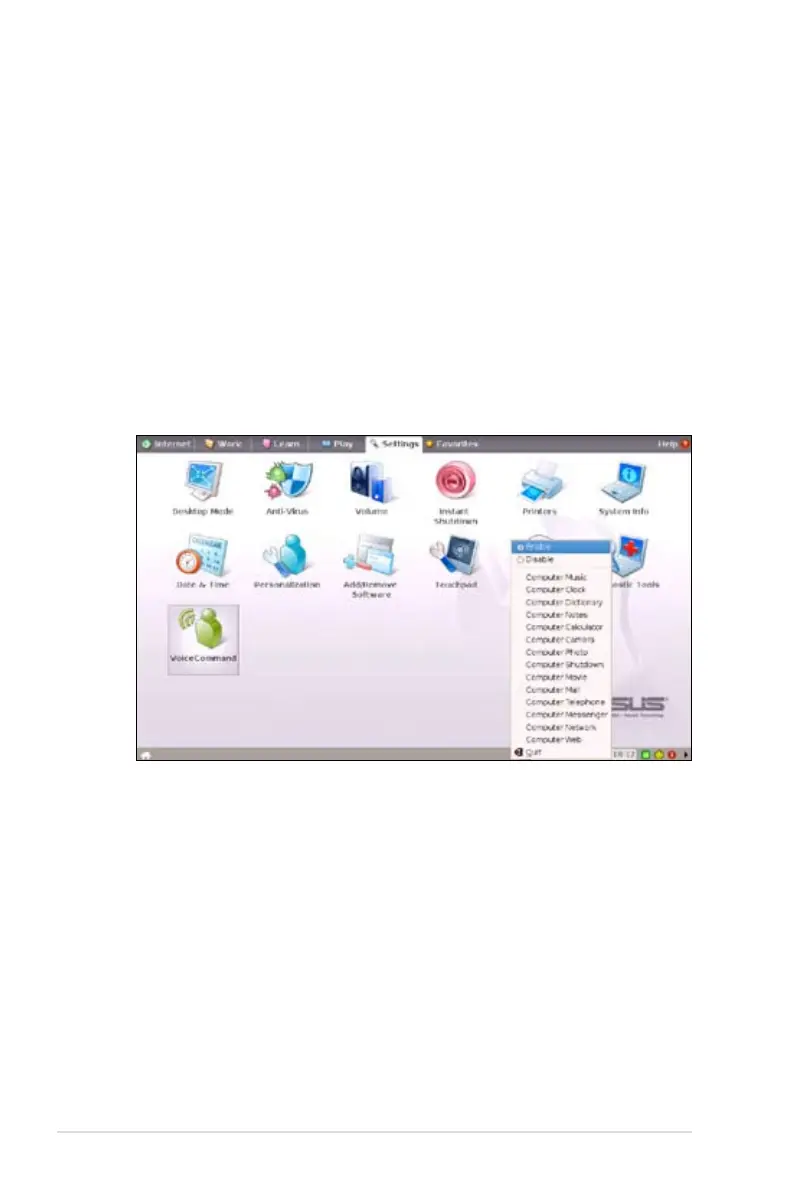
1. Double-click VoiceCommand from the Settings tab.
2. Right click the voice command icon in the Notification area and
toggle Enable to activate this function.
3. The items on the list are available for voice command function.
Add "computer" before each command.
An example of voice command use follows:
1. If you encounter new vocabulary, consult the dictionary in your
Eee PC.
2. Activate the voice command function.
3. Speak out "computer-dictionary," and the built-in dictionary will
be at your service.














 To Next Page