4-4
Chapter 4: Using the Eee PC
Configuring a network connection
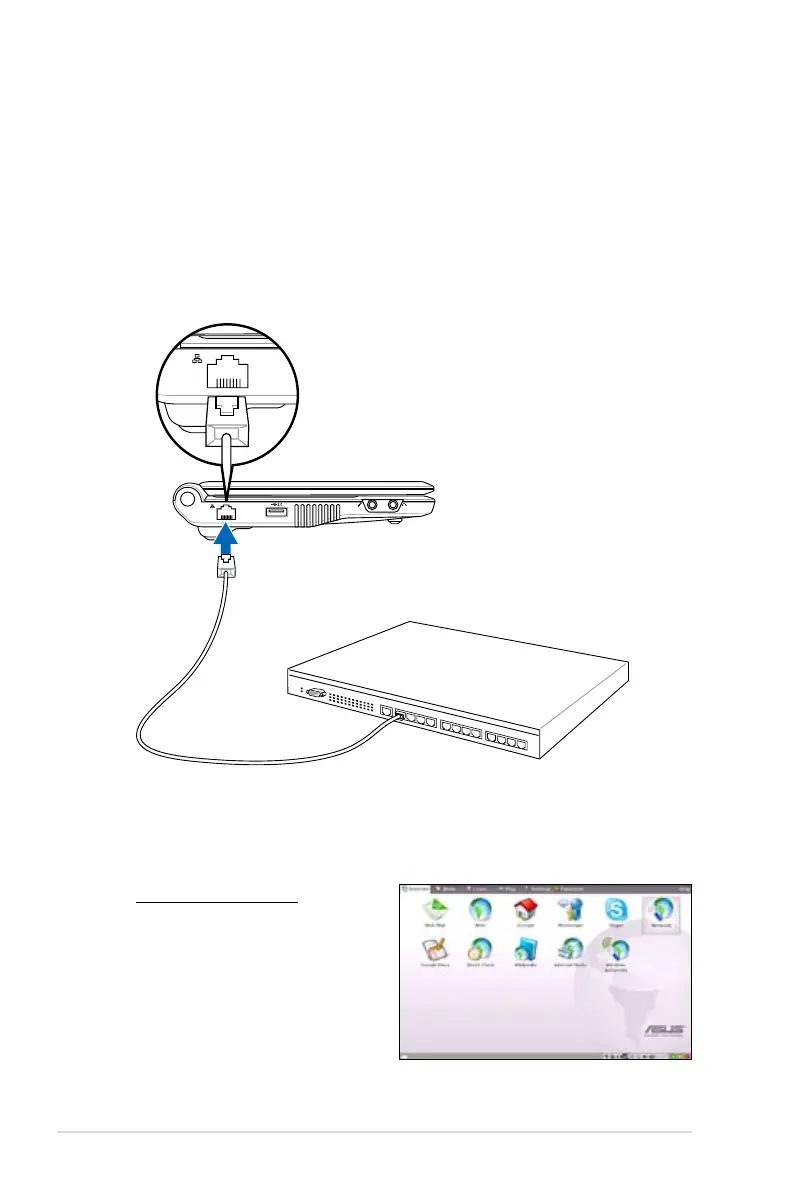
If you want to obtain network access, connect the network cable,
with RJ-45 connectors on each end, to the network port on the Eee
PC and the other end to a hub or switch. The illustration below is the
example of your Eee PC connected to a network hub or switch for
use with the built-in Ethernet controller. Connect to network before
enjoying all the network services and functions in Eee PC.
Using a dynamic IP:
1. From the Internet tab,
select Network to start
the configuration.
Local Area Network
Network hub or switch
Network cable with RJ-45 connectors














 To Next Page