4-32
Chapter 4: Using the Eee PC
Settings
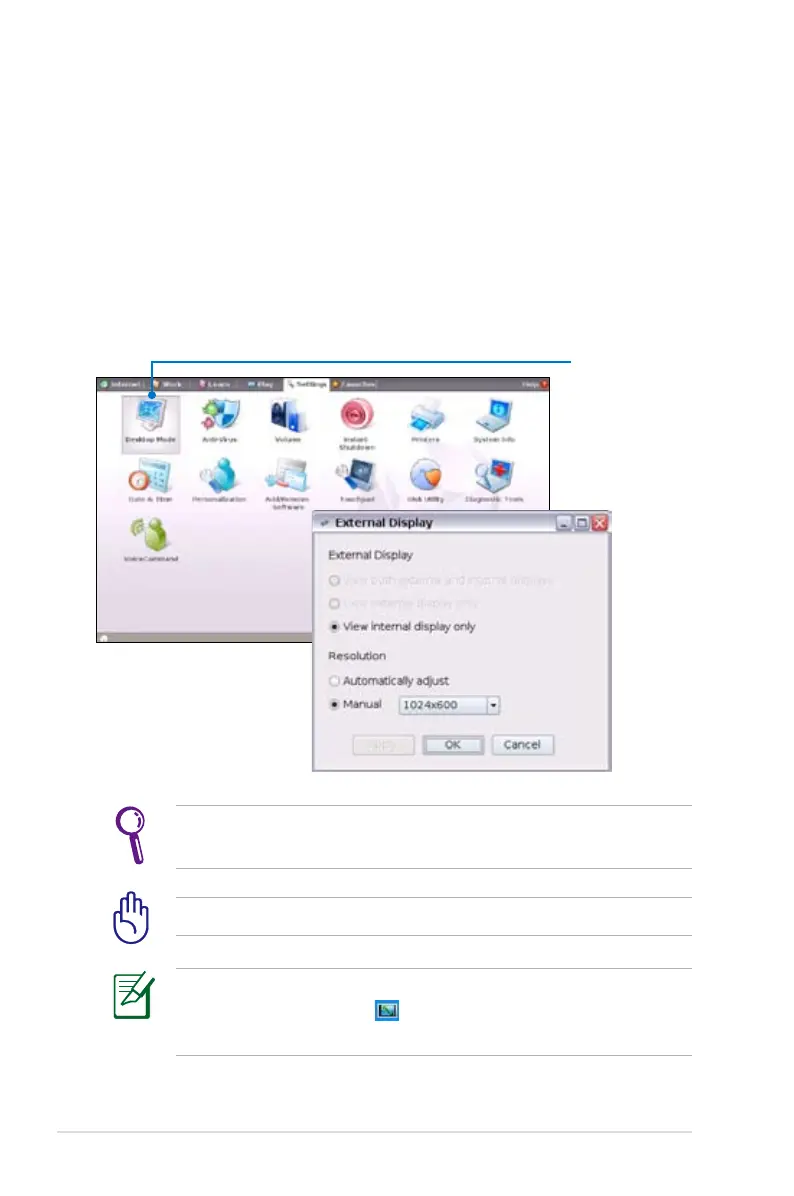
Desktop Mode
The Desktop Mode allows you to select the display mode and adjust
your Eee PC display resolution.
You can use both external and internal displays, external display only
or internal display only. If an external display is not connected, the
first two options will be grayed out. You can also manually adjust the
display resolution or set it automatically adjust.
If you set your display resolution to 600x480 or below, use the
touchpad to scroll up and down the screen.
Connect an external monitor before booting up the Eee PC.
If you have installed Windows XP to your Eee PC, right-click the
ASUS Eee PC Utility icon in the Notification area to adjust the
display resolution.
Click to adjust the
display resolution














 To Next Page