5-4
Chapter 5: System Recovery
Using USB Flash Disk
You need another PC and a USB flash disk (larger than 1GB) for Eee
PC system recovery.
You will lose all your data on the USB flash disk. Back up
important data before using the USB disk as a recovery disk.
To use your USB flash disk to perform system recovery:
1. Connect your USB flash disk (size larger than 1GB) to another
PC/NB (bundled with Windows XP or later version) and insert
the Support CD to that PC/NB at the same time.
Your Eee PC might not be able to detect all the USB flash disks.
We recommend you use a USB flash disk smaller than 2 G.
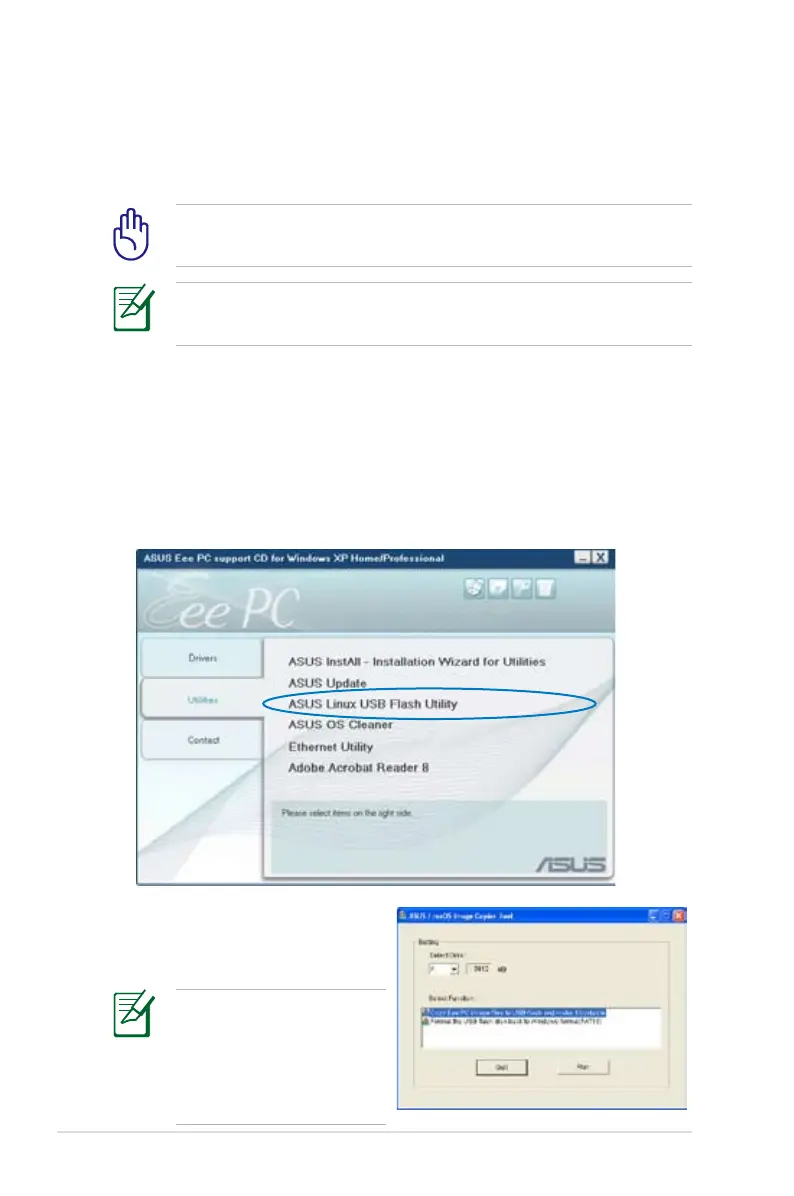
3. Select Copy Eee PC image
files to USB flash and make
it bootable.
Note that the disk for Eee
PC recovery is correct
if you have several USB
flash disks connected to
the PC.
2. Click Utilities on the left and select ASUS Linux USB Flash
Utility.














 To Next Page