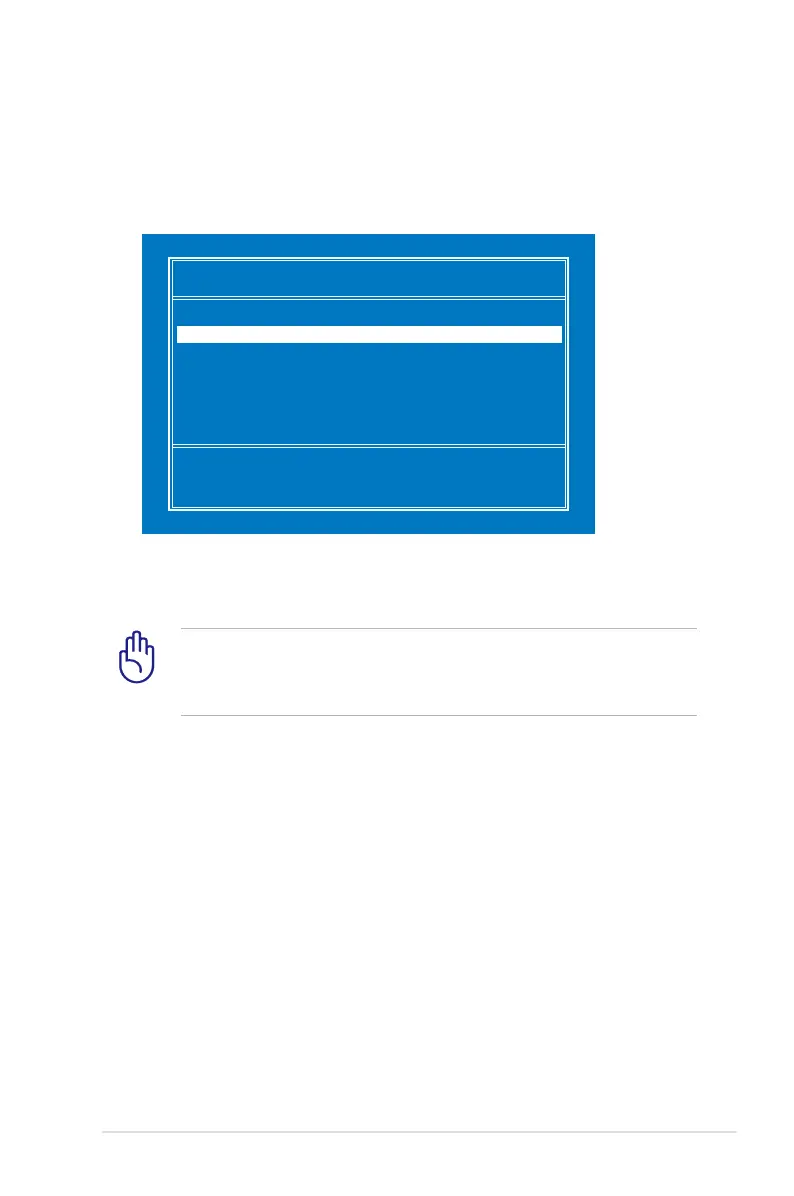
ASUS Eee PC
6-3
Please select boot device:
↑
and
↓
to move selection
ENTER to select boot device
HDD:SM-SILICONMOTION SM223AC
USB:Slimtype DVD
6. After the Windows® XP installation screen appears. Delete any
existing partitions.
You will lose all your data after deleting all existing disk
partitions. Ensure to back up your important data before
installing Windows® XP to your Eee PC.
7. Press <Enter> and select Format the partition using the NTFS
file system to start the Windows® XP OS setup.
8. Follow the on-screen instructions to complete the installation
process.
9. After the Windows® XP OS installation is completed. Restart the
system and press <F2> on bootup to enter the BIOS setup. Go
to Advanced and set OS Installation back to [Finished].
10. Press <F10> to save the configuration and reboot the system.
11. After entering Windows, insert the Support CD to the USB
DVD/CD-ROM and click InstAll - Drivers Installation Wizard to
install all drivers.
5. Press <ESC> on bootup and the Please select boot device
screen appears. Select USB:XXXXXX (may be labled as the ODD
brand name) to boot from the optical drive.














 To Next Page