115
Changing the ringtone
To change the ringtone:
1. Tap > Settings > Phone.
2. On the Phone tab, select a ringtone from the Ring tone list box. The songs or sounds that you added
as ringtone appears on this list along with the default ringtones that came with the device.
Tap to play ringtone sound and tap to stop.
3. Tap when nished.
NOTE: Refer to the device’s preinstalled ringtones in the list box.
Setting the ringtone
With your device you can add and congure your favorite music as your phone ringtone. You can easily
congure your favorite song or sound as your ringtone with the following compatible audio formats: aac,
amr, .mp3, .wav, .wma, and .mid.
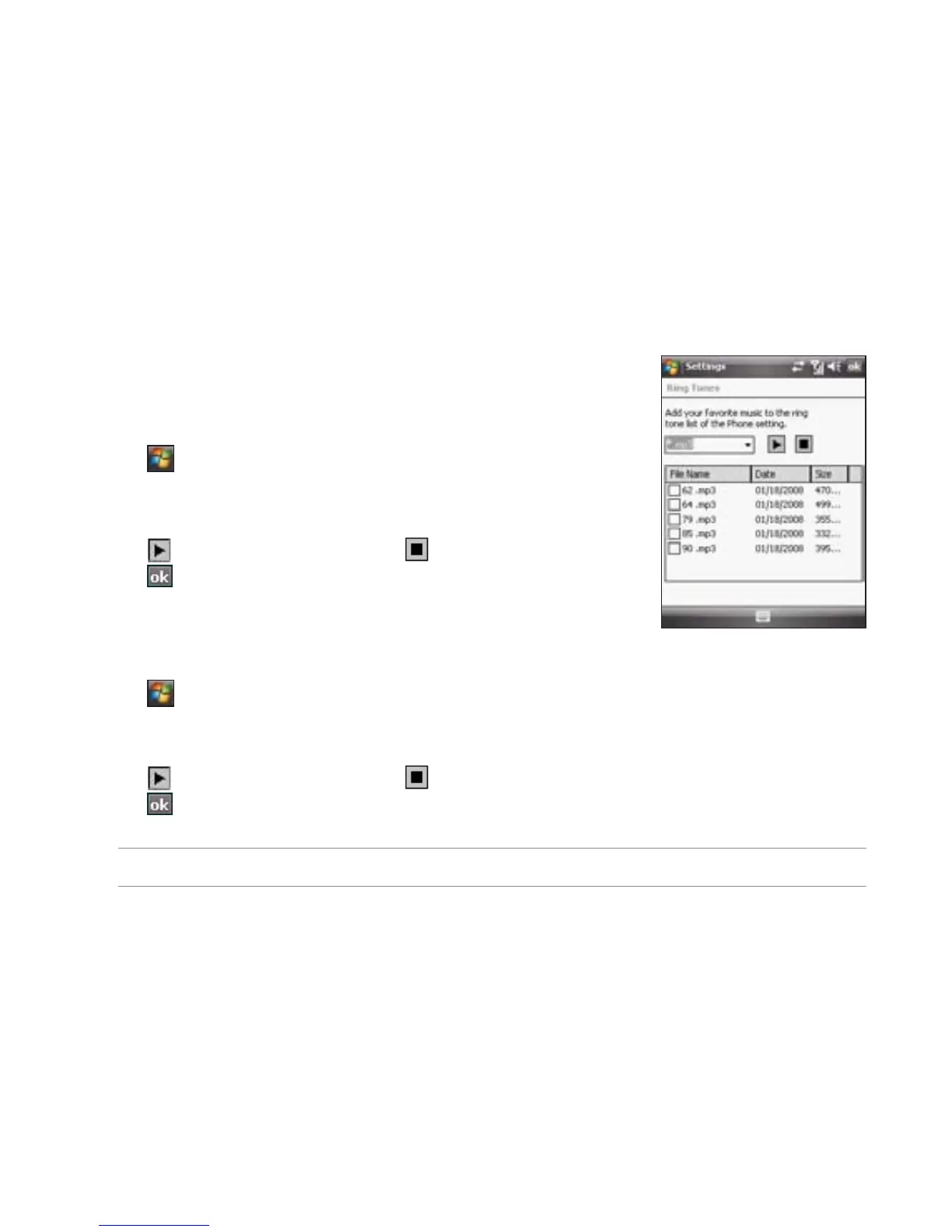
Adding ringtone to selection
To add ringtone to the selection category under phone setting:
1. Tap > Settings > Ring tones.
2. Select a specic le extension from the list box.
3. Tap to check a ringtone le that you want to add.
Tap to play ringtone sound and tap to stop.
4. Tap when nished.



 To Next Page