2-39
ASUS RS700-E9 Series
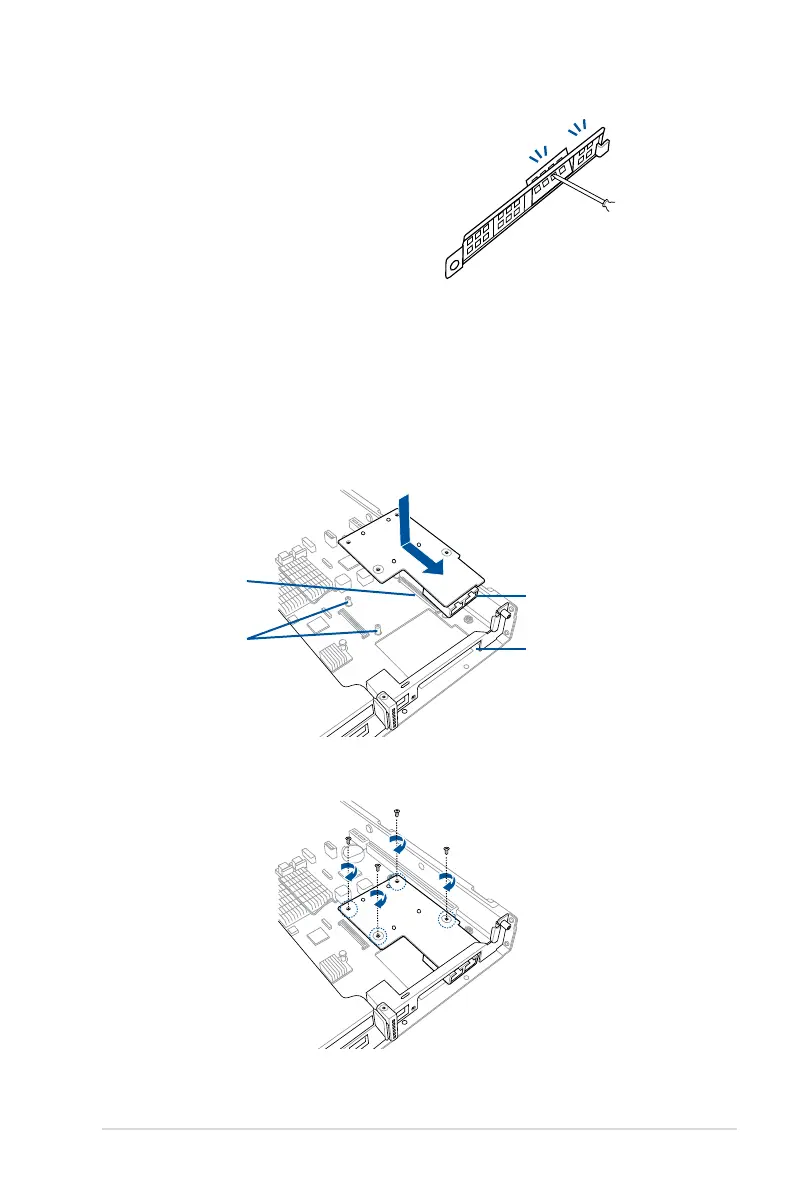
4. Select the slots that are going to
beusedforyourMezzaninecard,
then use a screwdriver and pry the
corresponding slots until it pops off.
5. Prepare the Mezzanine card.
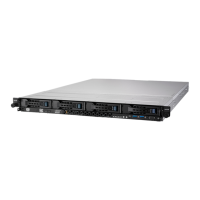
6. InserttheportsoftheMezzaninecardintothemountingholeonthechassis,then
insert the golden connector of the Mezzanine card into the OCP connector on the
motherboard.
Ensure that the stand screws on the motherboard is aligned and matched to the screw
holes of the Mezzanine card.
Stand screws
OCP connector
Mounting hole
Ports
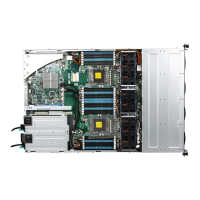
7. Secure the Mezzanine card with four bundled screws.




 To Next Page