2-41
ASUS RS700-E9 Series
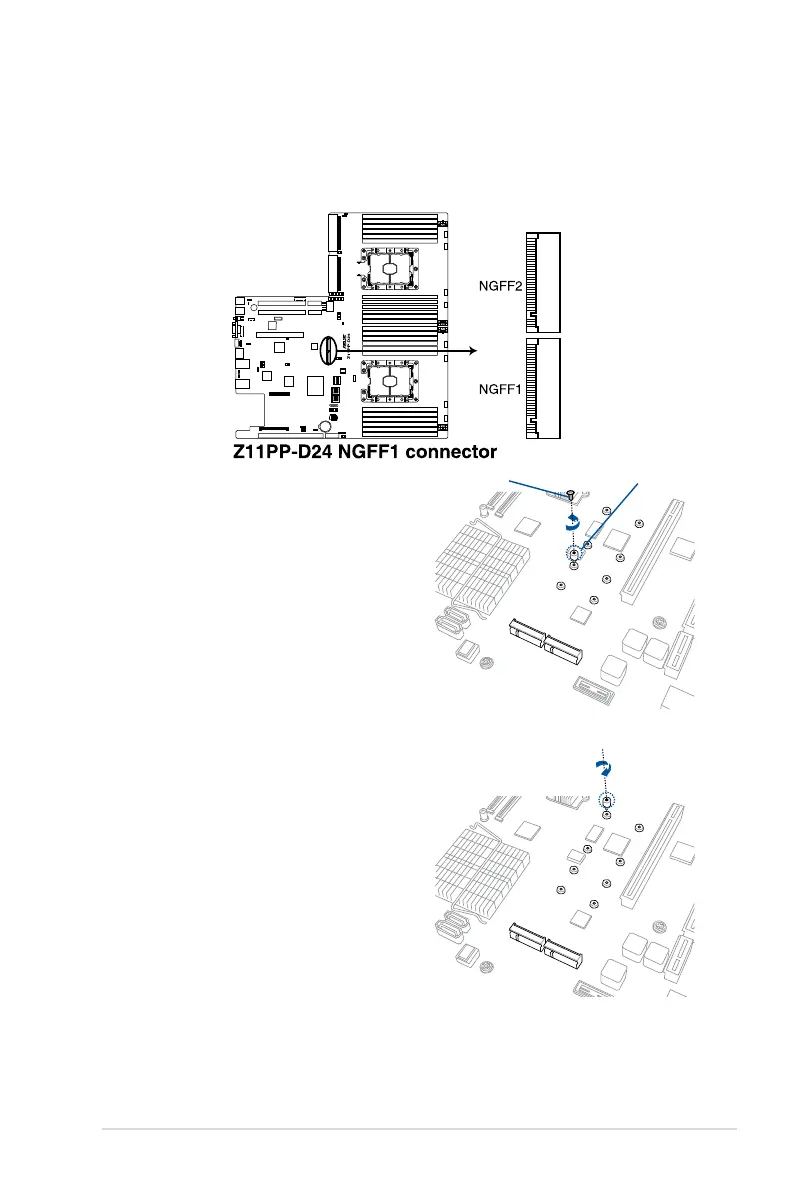
2.5.9 Installing M.2 (NGFF) cards
To install an M.2 (NGFF) card:
2. Remove the top screw and the
stand from the motherboard.
3. Select an appropriate screw hole
on the motherboard for your M.2
card,thensecurethestandtothe
motherboard.
1. Locate the M.2 (NGFF) connectors on your motherboard.
Top screw
Stand screw














 To Next Page