6-18
Chapter 6: RAID Conguration
6.4 Intel
®
Virtual Raid on CPU in BIOS
This feature allows you to do CPU RAID functions with Intel
®
CPU RSTe.
• Due to chipset behavior, enabling the Intel
®
RSTe CPU RAID functions requires an
Intel
®
VROC hardware key module.
• Refer to section
4.4 Internal connectors
for the location of the VROC_KEY1
connector.
• The KEY module is purchased separately.
To enter the Intel
®
Virtual Raid on CPU in BIOS:
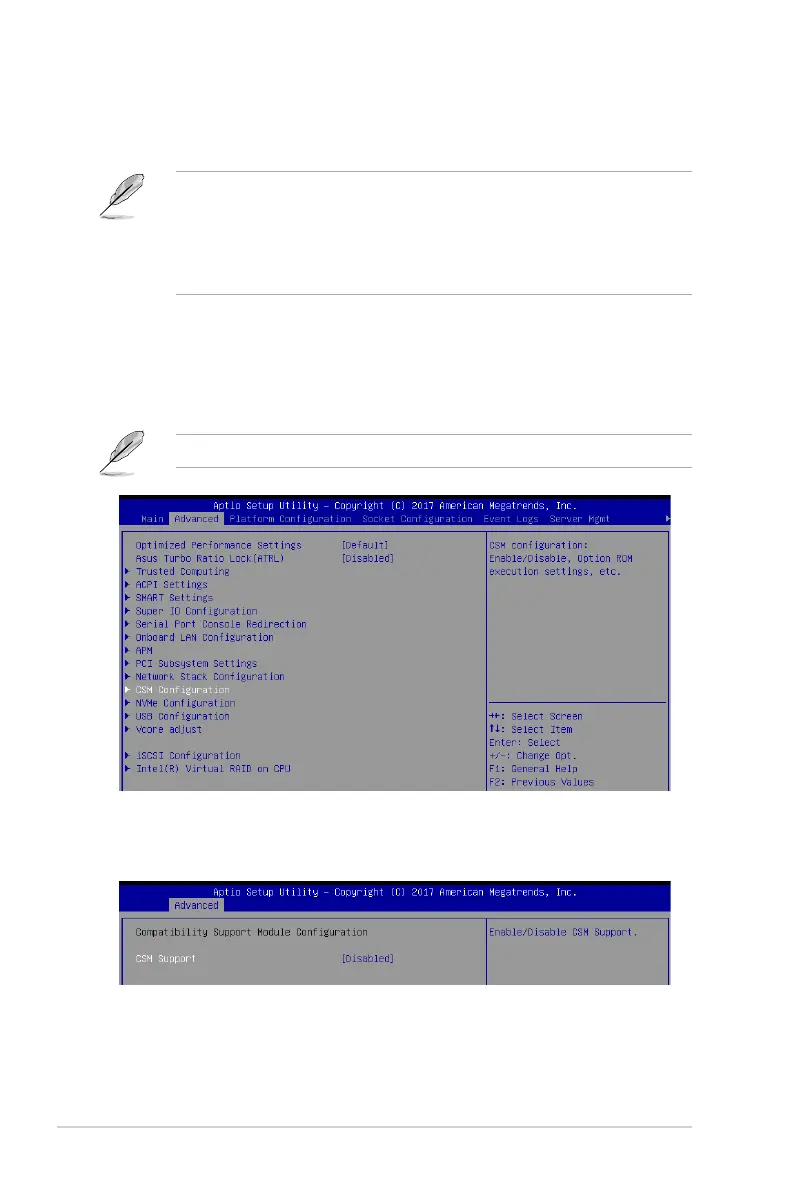
1. Enter the BIOS Setup during POST.
2. Go to the
Advanced
menu >
CSM Configuration
, then press <Enter> to display the
CSM Conguration menu.
3. Select the
[Disabled]
option for the CSM Support option in the CSM Conguration
menu.
Refer to Chapter 5 for details on entering and navigating through the BIOS Setup.














 To Next Page