2-7
ASUS RS720-E9 Series
2.3.2 Memory Configurations
Youmayinstall4GB,8GB,12GB,and32GBRDIMMs;64GBand128GBRDIMMs
(3DS);32GB,64GB,and128GBLRDIMMs;64GB,128GB,and256GBLRDIMMs(3DS);
and128GB,256GB,and512GBDCPMMsintotheDIMMsocketsusingthememory
congurationsinthissection.
• RefertoASUSServerAVLfortheupdatedlistofcompatibleDIMMs.
• AlwaysinstallDIMMswiththesameCASlatency.Foroptimumcompatibility,itis
recommended that you obtain memory modules from the same vendor.
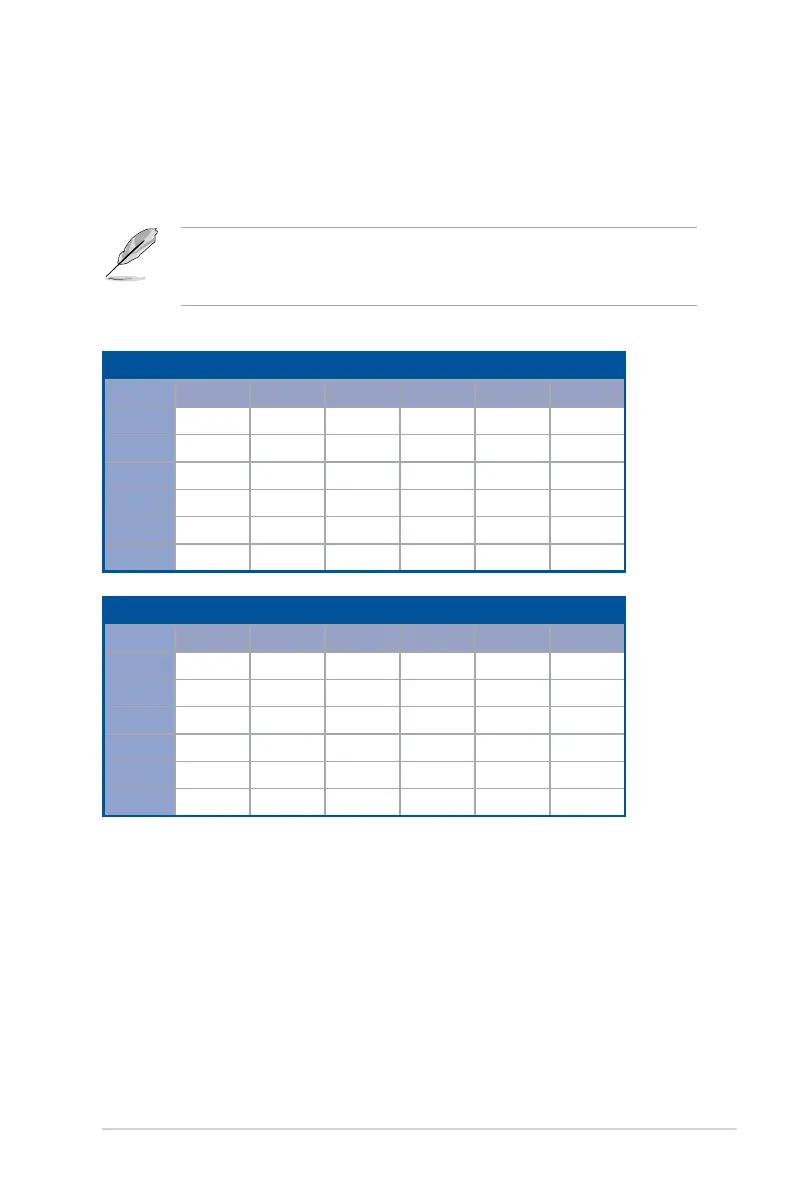
1 CPU Configuration (must be on CPU1)
DIMM_A2 DIMM_A1 DIMM_B2 DIMM_B1 DIMM_C2 DIMM_C1
1 DIMM
•
2 DIMMs
•
4 DIMMs
• •
6 DIMMs
• • •
8 DIMMs
• • • •
12 DIMMs
• • • • • •
1 CPU Configuration (must be on CPU1)
DIMM_D2 DIMM_D1 DIMM_E2 DIMM_E1 DIMM_F2 DIMM_F1
1 DIMM
2 DIMMs
•
4 DIMMs
• •
6 DIMMs
• • •
8 DIMMs
• • • •
12 DIMMs
• • • • • •
Recommended memory configuration for 1 CPU Configuration














 To Next Page