Chapter 2: Hardware Information
2-30
2.5.4 Installing an expansion card to riser card bracket 4
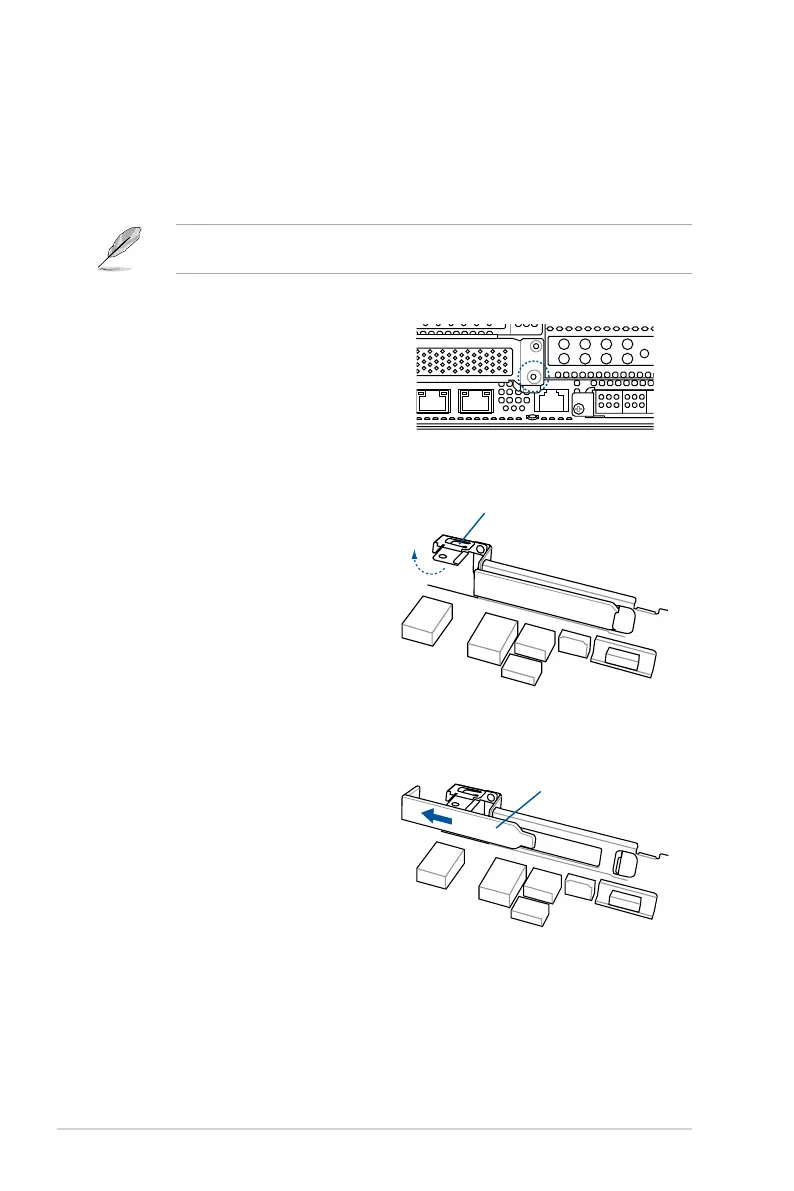
To install an expansion card to the riser card bracket 4:
3. Lift the metal lock upward.
2. Remove the screw that secures
the metal lock to the chassis.
4. Remove the metal cover from the
chassis.
Metal lock
Metal cover
1. Remove the riser card bracket 1 and riser card bracket 2.
For more information, refer to section
2.5.1 Installing an expansion card to riser card
bracket 1
and
2.5.2 Installing an expansion card to riser card bracket 2
.














 To Next Page