2-41
ASUS RS720-E9 Series
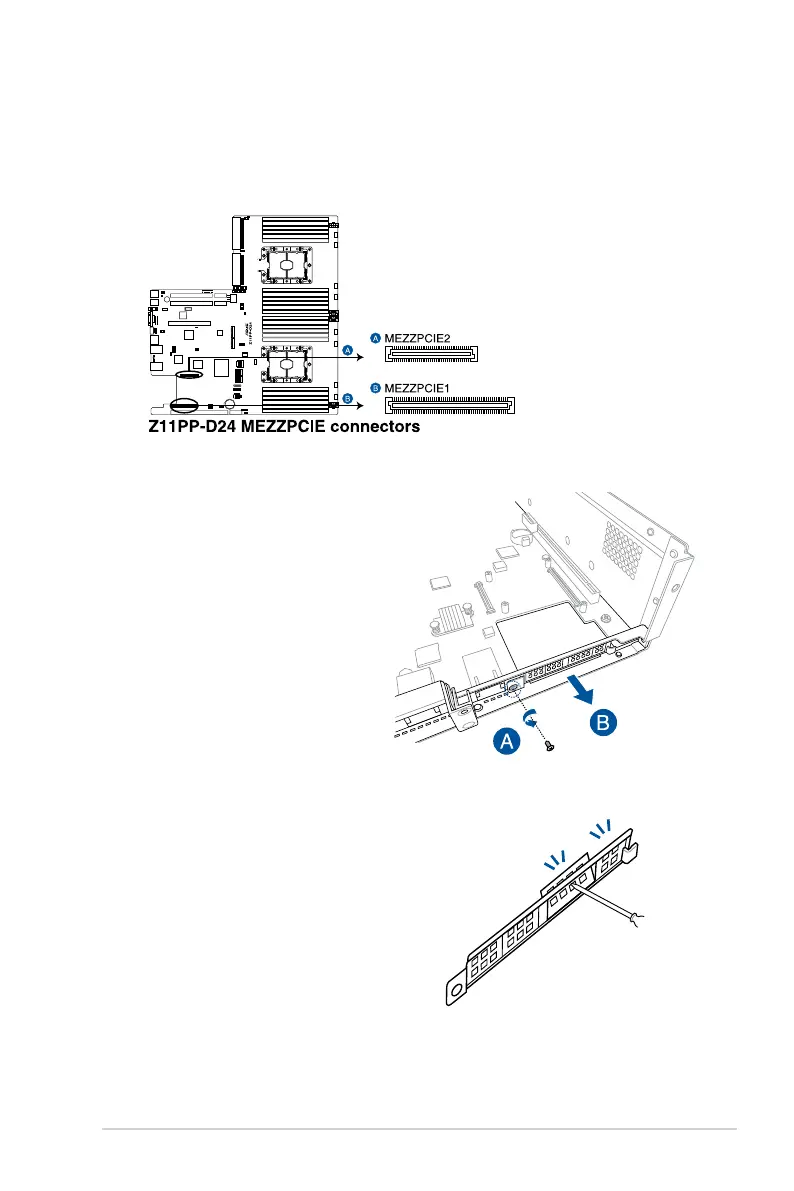
2.5.9 Installing Mezzanine cards
To install a Mezzanine card:
2. Remove the riser card bracket 1. For
more information, refer to section
2.5.1 Installing an expansion card
to riser card bracket 1
.
3. Remove the screw from the metal
cover (A), then remove the metal
cover (B) from chassis.
1. Locate the Mezzanine card connector on your motherboard.
4. Select the slots that are going to
be used for your Mezzanine card,
then use a screwdriver and pry the
corresponding slots until it pops off.














 To Next Page