Chapter 2: Hardware Information
2-42
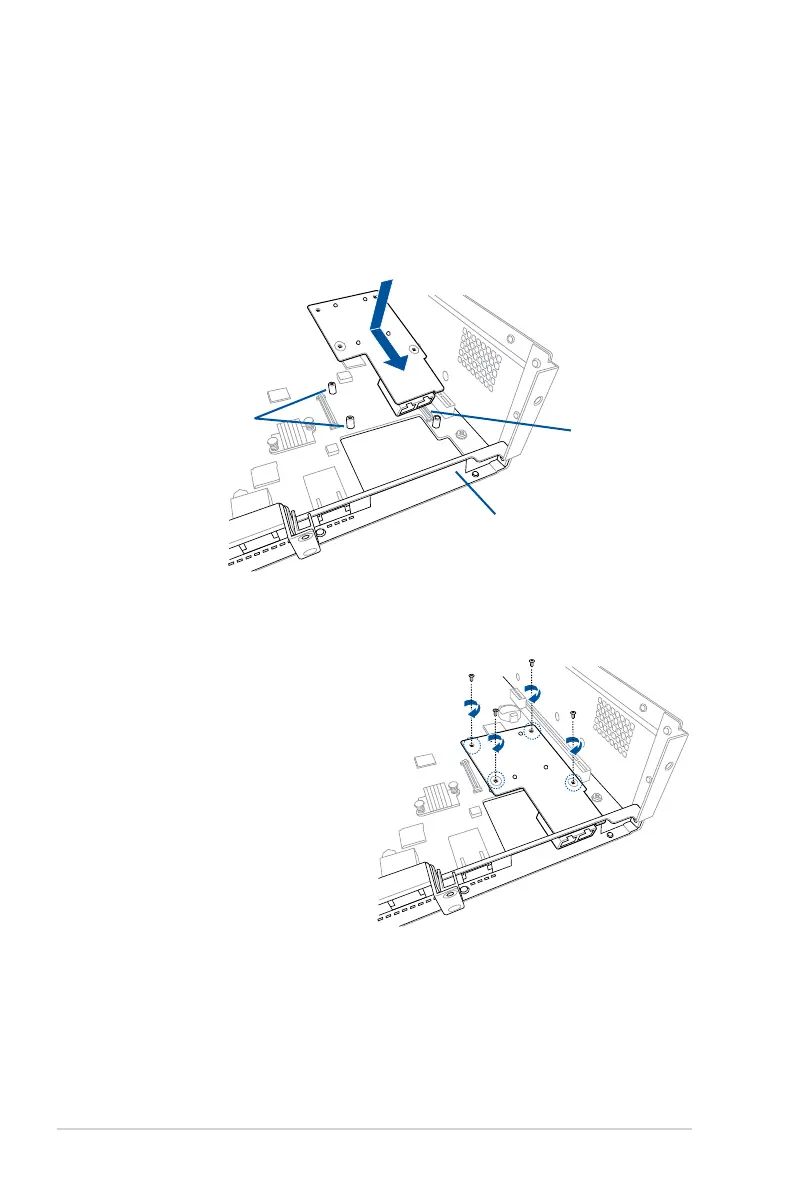
5. Prepare the Mezzanine card.
6. Insert the ports of the Mezzanine card into the mounting hole on the chassis, then
insert the golden connector of the Mezzanine card into the OCP connector on the
motherboard.
Ensure that the stand screws on the motherboard is aligned and matched to the screw
holes of the Mezzanine card.
7. Secure the Mezzanine card with
four bundled screws.
Mounting hole
Stand screws
OCP connector














 To Next Page